Our biggest month yet, organized into Major Updates and Bug & Glitch Fixes. Plus WashConsole LEARN, our new built-in training platform, now available. Also: assign-by-role, hourly tasks, a faster Team Chat, and a unified Schedule List view with PDF export.
WashConsole Team/June 19, 2026/8 min read
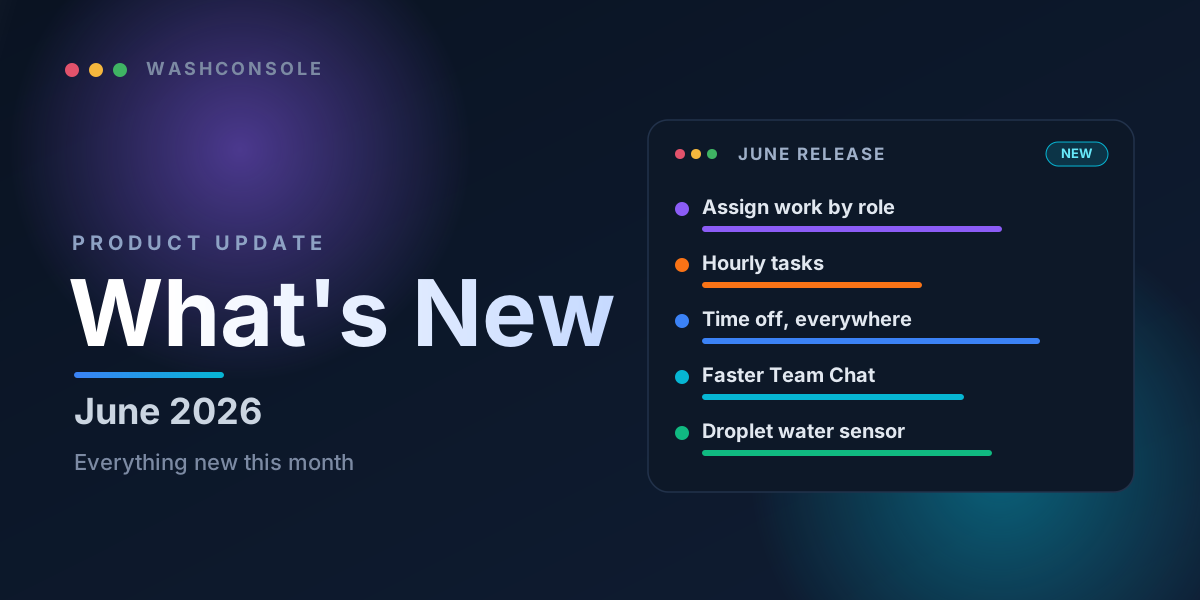
June's headline updates at a glance.
A Big Month at WashConsole
June was one of our busiest months ever. To make it easy to skim, we've split everything into two buckets. Major Updates covers the new features and big improvements. Bug & Glitch Fixes covers the things we tightened, sped up, and squashed. Most of these came straight from operators like you, and everything below is rolling out across the WashConsole web app and mobile app.
A few favorites
01
New: WashConsole LEARN.
A built-in training platform to build courses, quiz your team, hand out certificates, and even generate a full course with AI. Now live on web and mobile.
02
Assign work by role, not just by name.
Send a To-Do, work order, or complaint to a whole role, like every Technician or Employee, instead of picking people one at a time.
03
Hourly tasks.
Recurring tasks that come back every hour you are open, then automatically disappear when you are closed.
04
Request time off once for every location.
A single time-off request is now honored at every site an employee works, not just the one where it was filed.
05
A faster, refreshed Team Chat.
A clean new look plus big speed improvements to photos, scrolling, and typing.
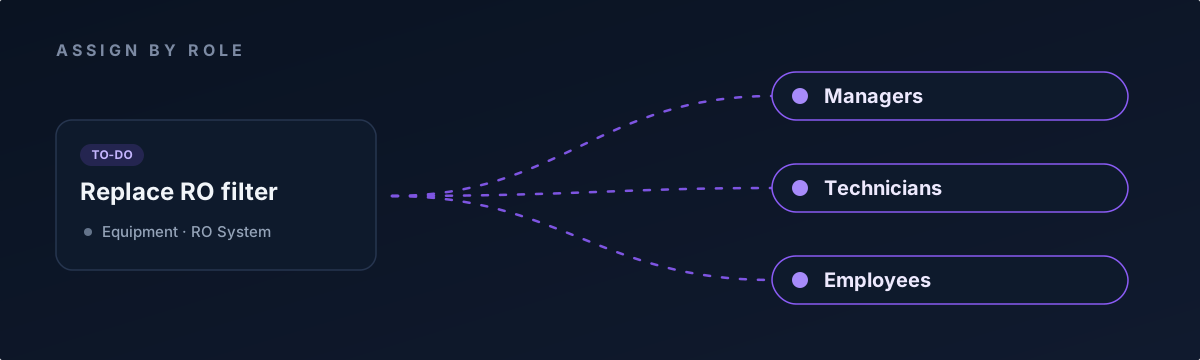
Assign any task, work order, or complaint to a whole role: Managers, Technicians, or Employees.
Major Updates
LearnConsole
WashConsole LEARN
Our biggest project this month is here. LEARN is a complete training platform built right into WashConsole, on both web and mobile. Here is what you can do with it.
Build real courses. Add lessons with formatted text, images, quizzes, and even embedded YouTube videos.
AI course builder. Describe a topic, or point it at your existing SOPs, and get a full, multi-lesson draft, complete with diagrams, in seconds.
Start from a template. Pick from a course template library instead of staring at a blank page.
Certificates and sign-off. Team members earn completion certificates, and you can require a signed acknowledgement (e-signature) on the trainings that need one.
Onboarding paths. Auto-enroll new hires into a set of courses, each with its own due date: completable in any order.
Assign to the right people. Assign any course to specific team members and track who has finished.
WashConsole 101, built in. Every account comes with a guided product-tour course so new users can get up to speed fast.
Never lose track. A "trainings to complete" count keeps pending courses front and center in the navigation.
TeamConsole
Scheduling
Week templates. Build a week once, save it, and reuse it, so you never rebuild the schedule from scratch again.
Coverage warnings. The schedule warns you when a shift leaves you short-staffed during business hours, so gaps are obvious before you publish.
Time off that follows the employee. When you approve a request, WashConsole automatically clears that person's shifts at your location and flags any conflicts at their other sites.
Filter and sort by role. Slice the schedule down to just the roles you care about.
A unified List view. See one row per person per day, with Scheduled, Clock-ins, Hours, and Status together, plus in-list search and role filters.
Clearer clock-ins. Actual punches appear as distinct "punch cards," so you can tell them apart from planned shifts at a glance.
Branded PDF export. Download a clean, branded PDF of the schedule and hours worked to print or share.
Plan around the weather. A weather forecast detail sheet, now out to 16 days, helps you staff up before the rush.
Smoother shift swaps. The trade picker shows each teammate's name and email, and swap and giveaway emails are clearer about who needs to do what.
TeamConsole
Time Clock
Schedule pay-rate changes ahead of time. Set a raise to take effect on a future date instead of having to remember to change it on the day.
Attendance issues, front and center. No-shows, late arrivals, and off-site clock-ins now appear right on the Time Clock and in a manager Attendance list, so they are impossible to miss.
Your preferred time format. Choose 12-hour or 24-hour time display for the whole account.
TeamConsole
Your Team
Contact info for the whole team. The team directory, contact details, and emergency contacts are now visible to everyone, not just managers, for the moments you actually need them.
Invite later. Add a new team member now and send their email invite whenever you are ready. They are set up and ready to use the kiosk, but stay quiet, with no welcome email or notifications until you choose to invite them.
OpsConsole
To-Do & Daily Work
Assign by role. Across To-Dos, work orders, and complaints, you can now assign work to a role, such as Managers, Technicians, or Employees, instead of picking individuals. Perfect for recurring jobs where the right person changes shift to shift.
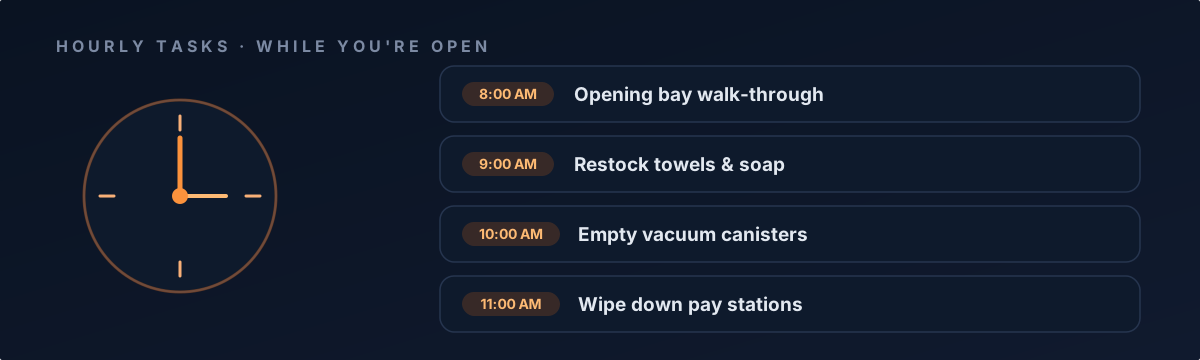
Hourly tasks. A new kind of recurring task that comes back every hour your location is open, with set time slots that automatically disappear when you are closed.
Custom Lists. Group related To-Dos into your own named lists.
Tag work to a spot. Attach tasks to a specific Zone, Location, or piece of Equipment, then filter the day's work down to it.
Hourly tasks repeat every hour you're open, then step aside when you're closed.
OpsConsole
Work Orders
Assign to more than one person. Put several people on a work order at once and see everyone responsible right on the job, with an avatar stack.
Parts notifications. Get a push and an email when a part for a work order is ordered, and again when it arrives, so you know the moment a job is ready to finish.
OpsConsole
Complaints & Damage Claims
A redesigned complaint view. The expanded view now opens with a clear summary of what happened and who was involved, plus tidy Tasks, Activity, and Media tabs and a built-in spot to add comments.
Assignable tasks, exports, and payout totals. Break a complaint into tasks you can assign, export your complaints to a spreadsheet, and see payout totals at a glance.
Better documentation. Capture vehicle photos by section, record witnesses, and note the last four digits of a payment card, and edit them later if you need to.
Know who logged it. Complaints now show the name of the person who filed them, instead of a generic "logged by staff."
OpsConsole
Equipment & Maintenance
Keep manuals on the equipment. Upload maintenance manuals, spec sheets, and other documents directly to any piece of equipment, zone, or location, so they are right there when your tech needs them.
Equipment setup templates. Set up common equipment from a template instead of building each one by hand.
Easier rescheduling. Drag and drop a preventive-maintenance job to move it to a new date.
StockConsole
Inventory
Auto-fill works on existing items. Paste a product link to fill in item details and refresh the product photo, now on items you already have, not just brand-new ones.
Clearer targets. Inventory "Targets" are now "Location," with one-tap linking across all your units.
ChatConsole
Team Chat
A fresh new look. Cleaner message bubbles, a tidier inbox, and a more comfortable message box.
Noticeably faster. Photos load and send instantly, scrolling stays smooth, and typing no longer lags on busy channels.
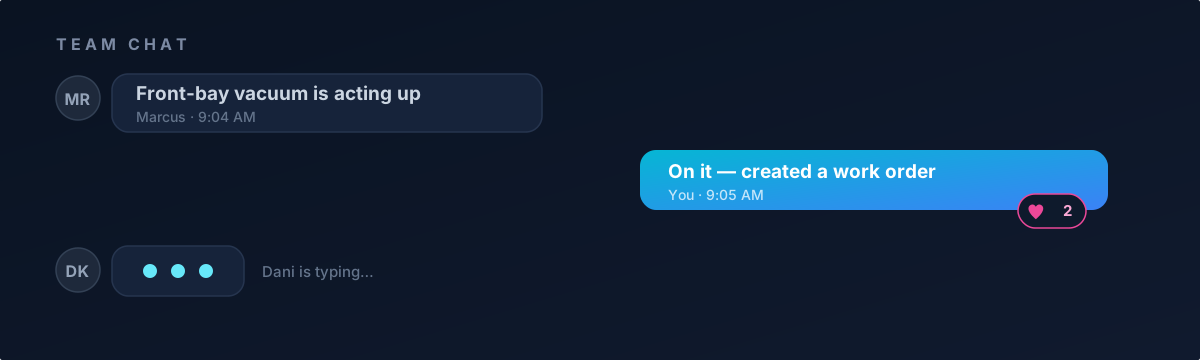
Shared items look great. When you attach a To-Do, work order, or complaint to a message, it now shows up as a clean preview card with its status and details.
Group DMs and role channels. Start a group direct message, and message a whole role at once with assign-by-role channels.
Team Chat is faster and cleaner, and shows shared items as rich preview cards.
TeamConsole
Kiosk
Scan to connect. Setting up a shared kiosk device is simpler. Just scan a code to connect, all from a dedicated Kiosk area.
Self-service PIN reset. Team members can reset a forgotten (or never-set) kiosk PIN themselves.
PIN-only sign-in. A faster, PIN-first login option for shared terminals.
OpsConsole
Reviews
Import your existing Google reviews. Bring your review history in through Google Takeout, with a file picker, a preview, and a summary of what was imported.
A review competition podium. A top-three podium and leaderboard to celebrate your highest-rated locations.
OpsConsole
Inspections
AI-assisted copy. Generate clear inspection titles and item descriptions with a tap.
Skip, Restart, and collapse. Skip or restart a run, and start with groups collapsed so long checklists stay manageable.
Overdue, surfaced. Overdue inspections now appear in Action Items so they don't slip.
Platform
Across the App
Completion celebrations. Finishing tasks is a little more fun now, with graffiti stamps, streaks, jackpots, and optional sound and a buzz on every completion.
A live look across all your locations. Your dashboard gained a live view of who is working and what needs attention across your whole portfolio.
Silent updates. The app now updates itself quietly in the background instead of nagging you with a "refresh to load" bar.
Finer notification control. A revamped notification preferences screen lets you choose exactly what pings you, and on which device.
Short support ticket numbers. Support tickets now use clean, human-friendly numbers like WC-1234.
Share the daily quote. Send the Daily Inspiration to any chat, whether a channel at any site or a direct message.
Bug & Glitch Fixes
We also spent the month polishing the details and tightening performance. A few you might notice:
Smoother Team Chat. Switching between channels is seamless now, with no brief flash of the previous conversation.
Snappier maps. The portfolio map loads faster and pans more smoothly.
Editable complaint tasks. Follow-up tasks on a complaint stay editable right up until they're cancelled.
A more solid app overall. We smoothed out a wide range of rough edges so everything feels steadier.
Plus dozens of smaller polish fixes across web and mobile, including cleaner layouts, easier-to-read availability, and a more consistent experience throughout.
That is June. As always, these updates came from real operators telling us what would make their day run smoother, so keep the feedback coming.
Built by Carwash Operators, for Carwash Operators. Learn more at WashConsole.