Run inspections, maintenance, chemicals, inventory, scheduling and training from one console. Built for self-serve, in-bay automatic and tunnel washes.
Trusted by car washes nationwide.
Self-serve bays, in-bay automatics and express tunnels, from single sites to multi-site groups.
“I can’t talk good enough about how good my experience with WashConsole has been. Since day one, rarely hit any issues, and the very few snags that I hit, the support was amazing.”
Tiger Xpress Carwash
Washie Car Wash
CrazyCat Carwash
Sunshine Car Wash
Jimmy Suds Car Wash
Apex Express Car Wash
Rush
Salty Dog Car Wash
Showroom Shine Car Wash
Clean Spot Car Wash
Tiger Xpress Carwash
Don's Carwash
Shamrock Car Wash
Top Soap Car Wash
Island Park Auto Plaza
Jack's Express Wash
Hurricane Beach Car Wash
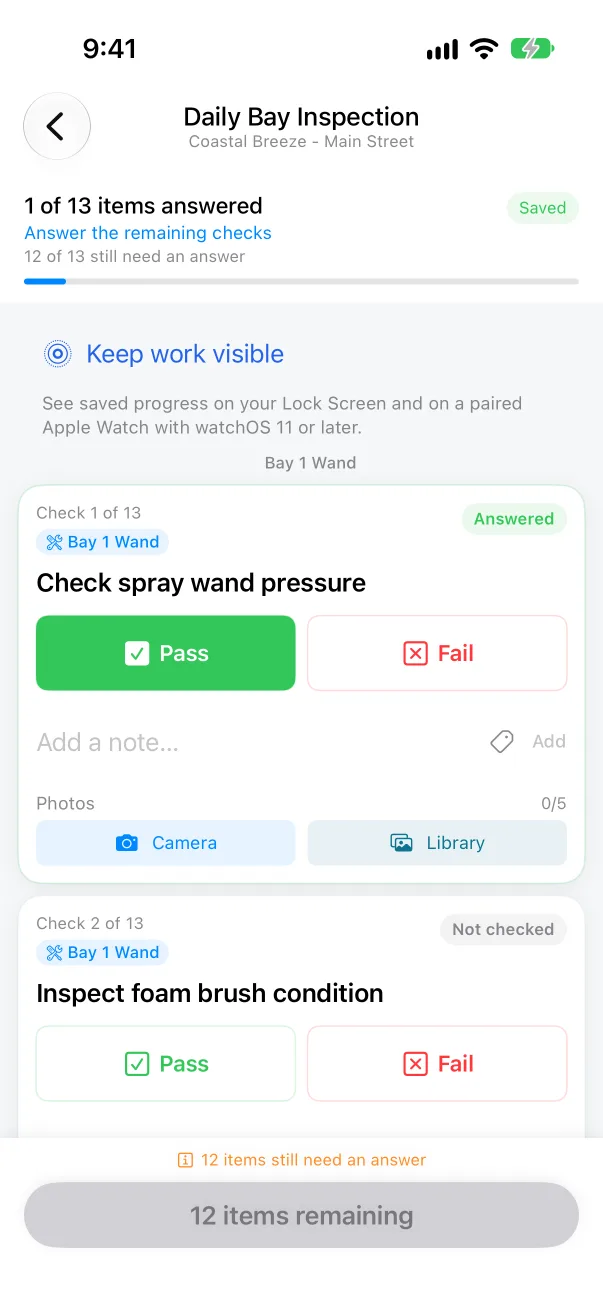
Open on time. Close clean. Write it down.
Antenna down. Mirrors in. Neutral. Hands off.
A failed check becomes a work order.
Pollen season. We've been expecting you.
Low tank: Hot Wax. Reorder drafted.
Bay 3 is back up. Work order completed.
Train the crew. Leave good notes for the next shift.
Open on time. Close clean. Write it down.
Tap the board for another line.
Secure. Simple. Yours.
Roles
Turn key permissions on or off by role in Settings.
Sites
Managers work only at the sites they run.
PIN
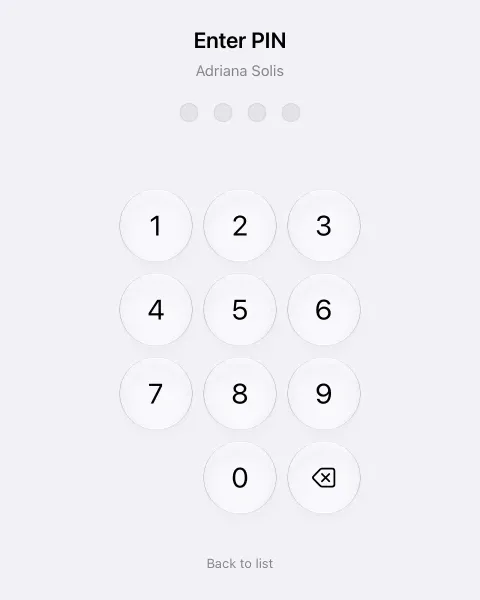
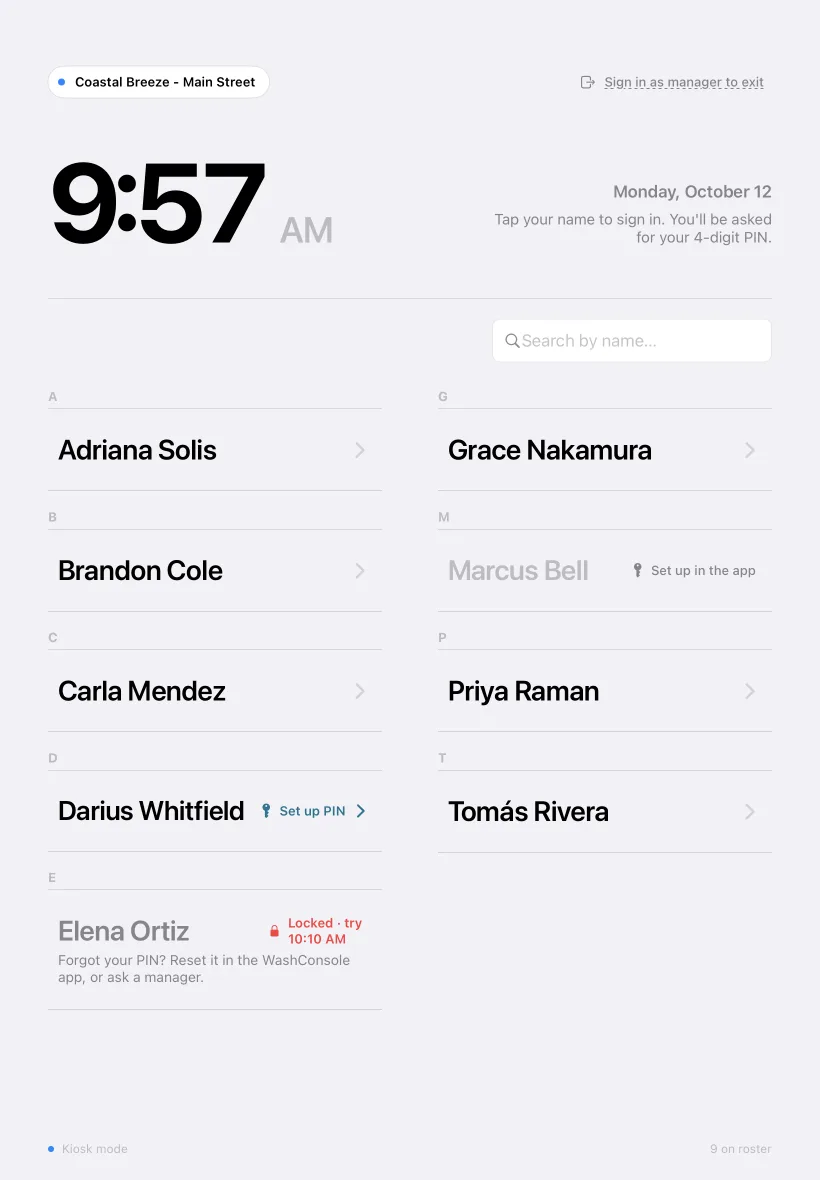
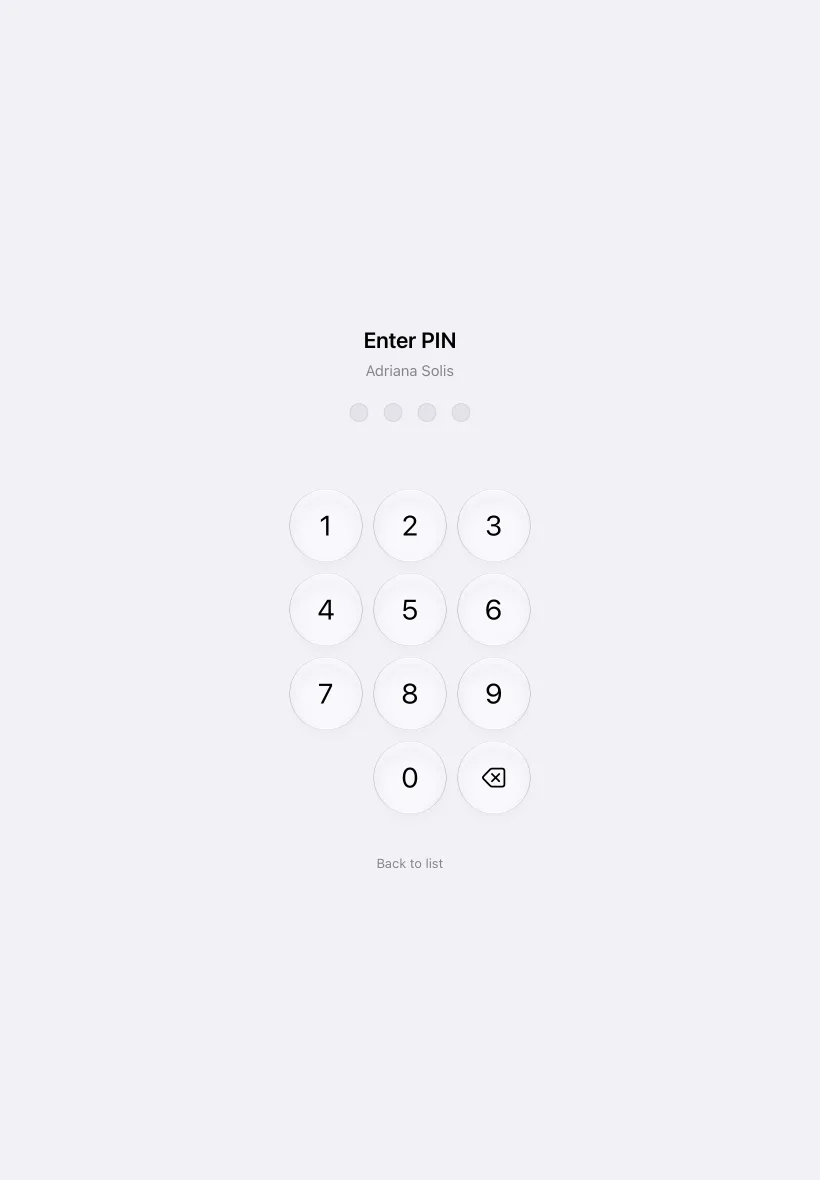
Each worker signs in at the site kiosk with their own 4-digit PIN.
Setup
Start with a setup call with our team.
Import
Send us what you have. We import everything.
Per site
No per-user fees: up to 50 active team members per site. No contracts, cancel anytime.
Private
Your records are kept apart from every other WashConsole customer, in the database itself.
Audit
When a manager changes a recorded clock-in or clock-out, the original time and who changed it are kept.
GPS
Set a GPS radius for each site, and phone clock-ins from off site get flagged.
Training
We train your managers and your crew.
On site
On-site support, at your wash.
24/7
Support 24 hours a day, 7 days a week.
Onboarding
We’re 100% committed to an easy onboarding.
Run your whole training program.
Build the training, assign it by role and site, let the crew take it on web or iPhone, and see who finished, signed off, passed a hands-on check or earned a certificate. Start by building a sample, then explore all 19 stops.
LearnConsoleStep 1 of 19 · Build with AI
Build
Assign
Learn
Prove
Turn one line into a course you can review.
Start with a prompt, pasted text or a PDF
Keep, edit or drop each proposed lesson
Get draft lessons and a knowledge test
Nothing reaches your crew until you publish
Or start with an example
Example draft
Loading Cars onto the Conveyor
5 lessonsAbout 8 minutes5-question quiz
Review the approved signals for pull forward, stop and hold. Use the same signals on every shift at that site.
Follow your site’s loader and equipment procedures for tire position, steering, gear and braking.
Tell the driver which gear, steering and brake position your conveyor requires, then confirm before loading.
Use the posted site and equipment limits for loose parts, roof accessories, truck width and tire fit.
Follow the site’s stop procedure whenever a person, vehicle or piece of equipment creates an immediate hazard.
Quiz question 1 of 5
The driver has not followed the final loading instructions as the roller approaches. What do you do?
Assigned to employees and associatesManager sign-off
Sample content only. Check it against your policies and site procedures before publishing.
Teach the work the way it actually happens.
Add text, photos, video, files and YouTube
Use Compose with AI to polish rough notes
Add a simple animation to show the process
Add tap-the-right-spot practice to a lesson
See what is live, who gets it and when it is due.
Filter courses by category
See who gets it, when it is due and how many have finished
Keep drafts separate from published training
When an SOP changes, its course is flagged for review
Start from finished car wash courses, not a blank page.
Courses on safety, chemicals, equipment and service
Add a whole folder or one course at a time
Preview a course before you add it
Add it as a draft to make it your own
Turn an approved procedure into training you can assign.
Find SOPs by equipment
Import a manual or write the SOP in WashConsole
Approving an SOP creates a course draft to review
SOPs waiting for review are flagged at the top
Give each role a path, not a pile of courses.
Group published courses into a curriculum
Assign it by role and site, or hand-pick people
New-hire due dates count from their start date
Apply it to the crew you already have
Make training automatic for the people who need it.
Require a course by role or job title
New hires who match get it automatically
Keep pay or commission courses hidden from other roles
Owners always see every course
Who gets this Opening the Tunnel
Required roles: assigned automatically
Job titles: assigned automatically
No required roles yet: no one gets this automatically.
Pick a role or a job title. Everyone in it gets the course now, and new hires get it when they join.
Set the clock once for every assignment.
Set a due window in days from assignment
Choose a six-month retake, an annual retake or no retake
For certificate courses, validity follows the retake date
Show your wash’s brand, or a vendor’s, on the course
Decide what finished means for each course.
Require a typed legal-name signature
A major content change makes everyone sign again
Have a manager score a hands-on check during a real shift
Spell out what the evaluator should watch for
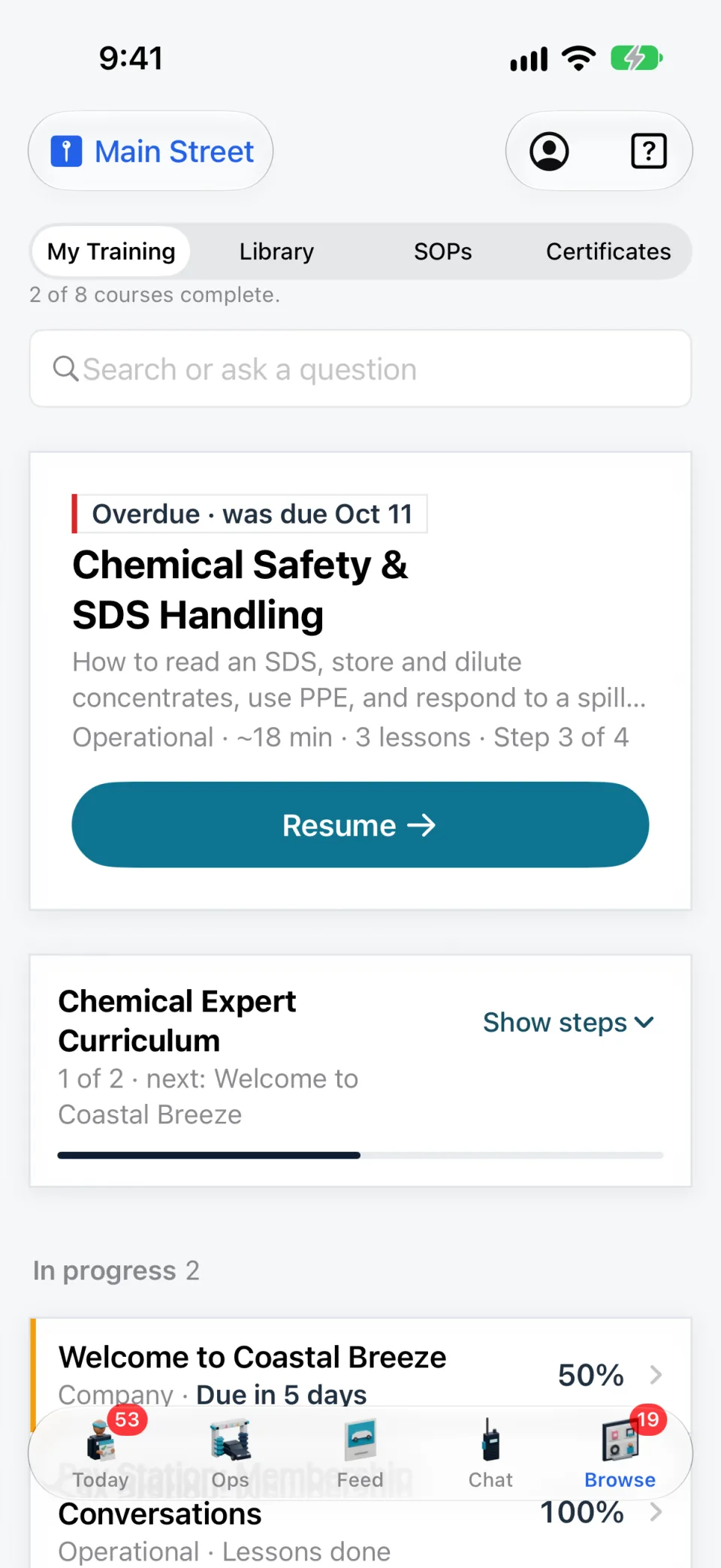
Every crew member sees what is due and what comes next.
Keep overdue and in-progress courses at the top
See onboarding progress course by course
Search or ask a training question from the same page
Use the same training in the WashConsole iPhone app
Give the crew answers from your own lessons, with sources.
Ask a work question in plain words
Answers use only written lessons that person can open
Every step cites the lesson it came from
Open the source lesson to check the answer
Give the crew one place to find every course they can open.
Every course the employee is allowed to open
Filter by category
Due dates and progress beside each course
Open any course straight from the list
Test what they know and what they can spot.
Single-choice, multi-select or true-or-false questions
Hotspot questions on photos from your wash
Set the passing score and number of tries
Managers see every answer a learner submitted
Hotspot question
A vehicle is pulling into the bay. Tap the signal that tells the driver to stop.
Tap the photo to drop a pin, then check your answer.
Press Enter to drop a pin in the middle, then move it with the arrow keys.
This sample uses a real wash-bay photo. Build your own questions with photos from your site.
Keep hands-on checks with the rest of each person’s training record.
Crew members request a check after the lessons and quiz
A manager scores it during a real shift
A pass completes the hands-on check
Needs another look sends notes on what to practice
See what got done at every site, and what is still broken.
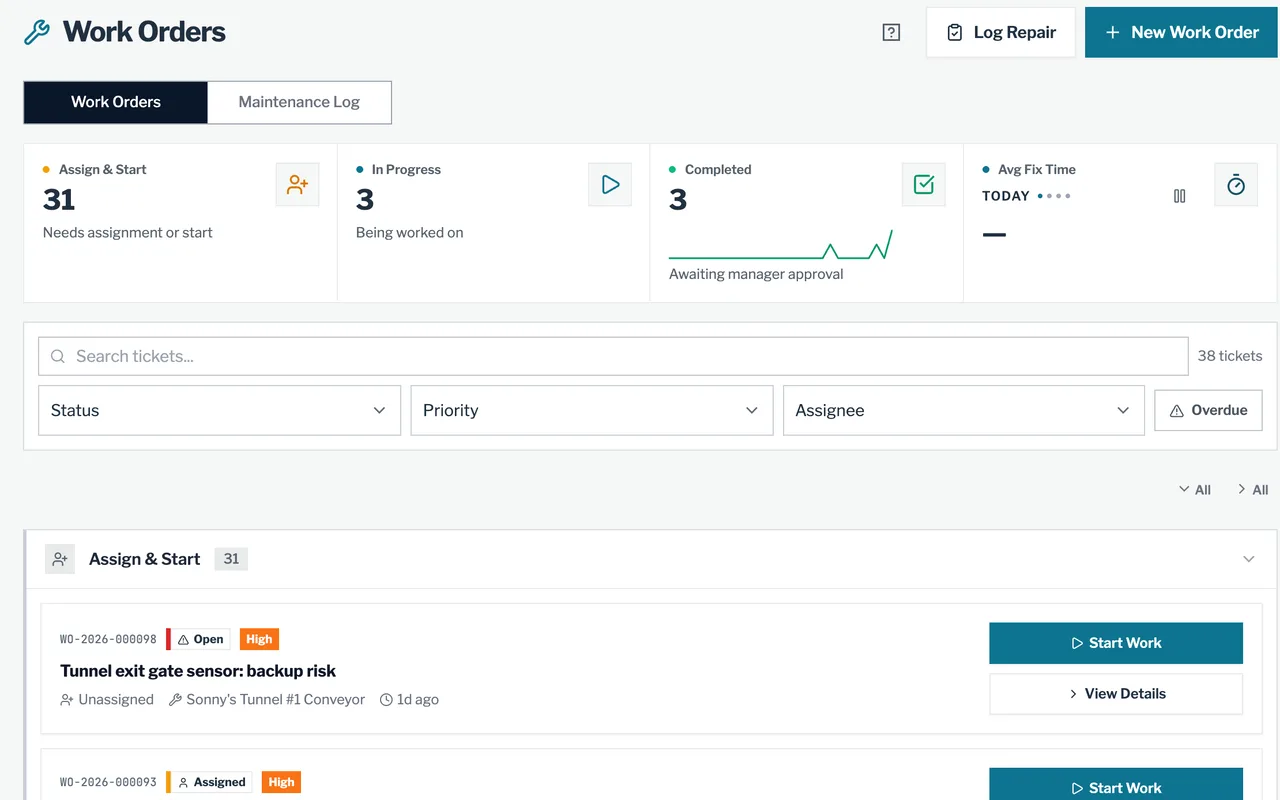
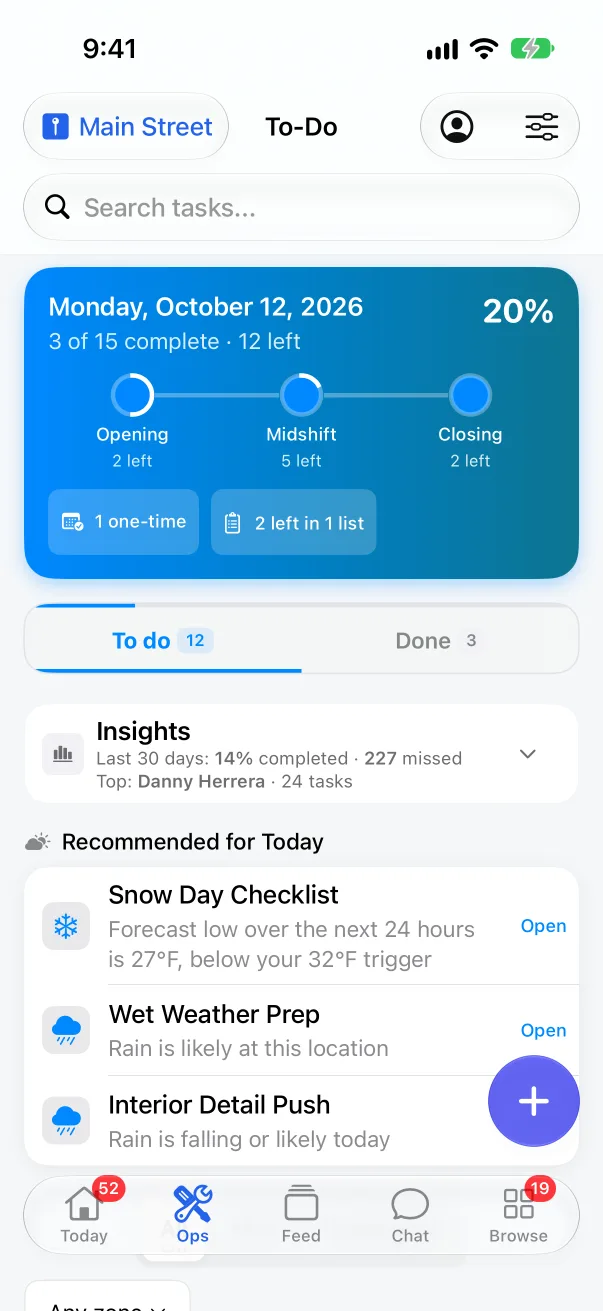
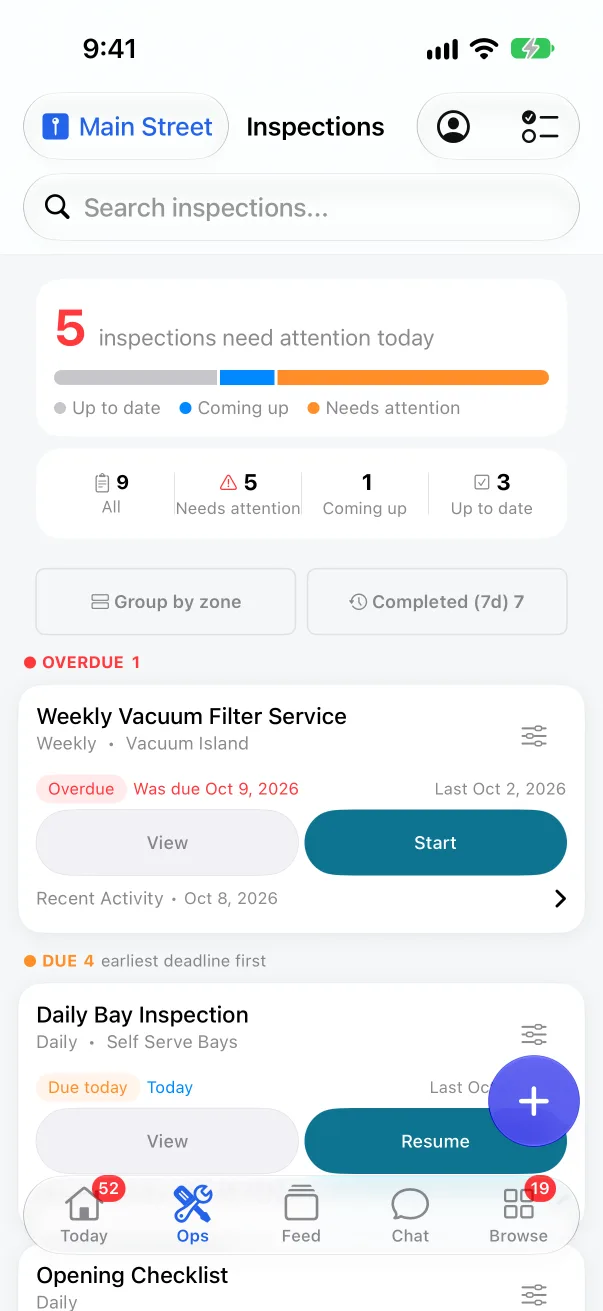
Your crew completes inspections and To-Do lists from their phones. A failed inspection item opens a work order with the problem already on it, so you can see who owns the repair and how long it has been open.
Schedule inspections daily, weekly, at set times or every hour the site is open. A failed item opens a work order, and a repeat failure joins the open one.
Work orders
Assign the repair and track it until it is fixed. Parts used come out of site stock, and time spent waiting on parts doesn’t count as repair time.
To-Do lists
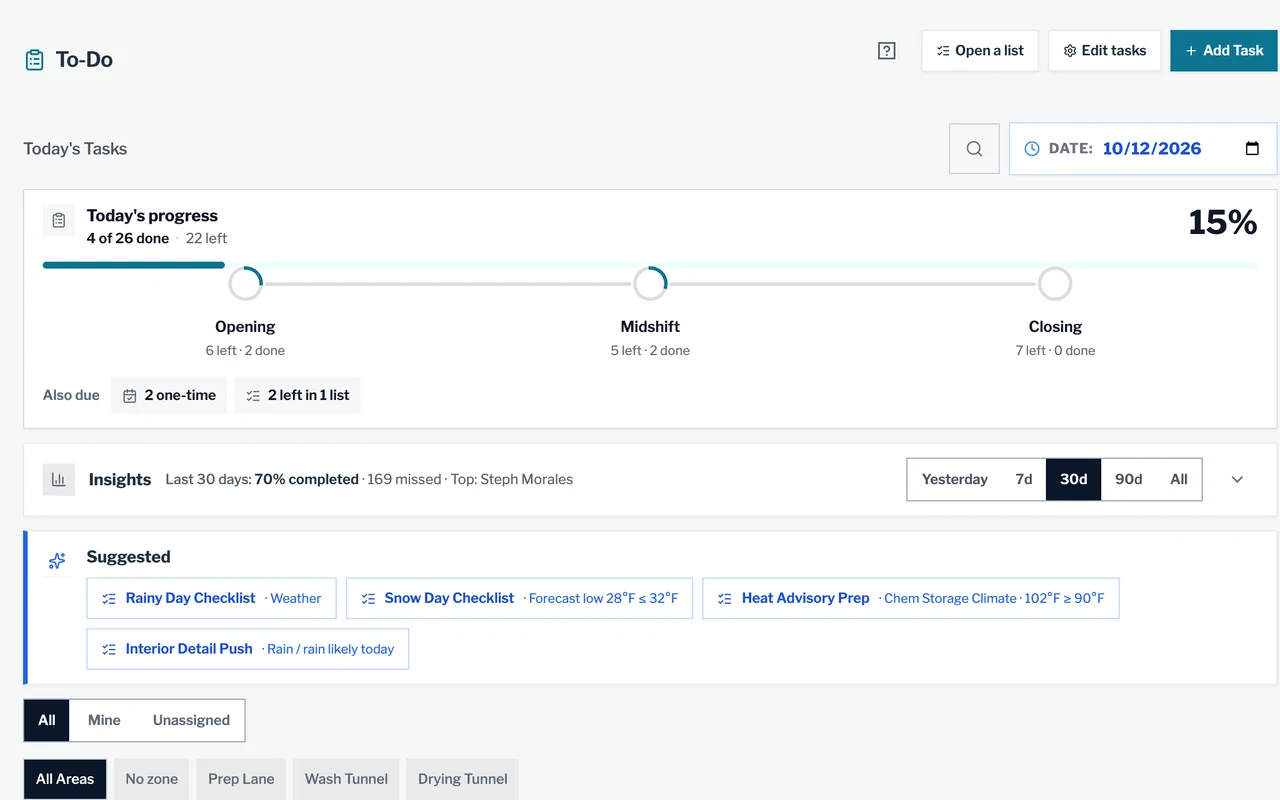
Opening, midshift and closing tasks for a person or a role. A task can require a photo before it counts as done.
Photo check
AI compares the completion photo with the manager’s reference photo and flags unfinished work or a missing or reused photo. The manager can send the task back.
Equipment downtime
Mark a unit offline and a work order opens. Resolving it puts the unit back online and logs the downtime.
Preventive maintenance
Set schedules by machine type or zone, with a default assignee and the SOP to follow. The work order opens up to seven days before it is due.
Gauges
Take a photo of a gauge and AI reads the number. Managers get a push when a reading moves out of range.
Complaints
Customers file a damage claim from a QR code at the site, with photos marked on the car. You track the case through to payout.
Google reviews
Reviews from every site sync each hour. When one names a teammate you have linked, and they worked there at the time, they get the credit.
ChemConsole
See tank levels and the estimated days left for each chemical.
Log tank and storage levels as they change. Once there is enough history, WashConsole estimates the days left, and managers get a push when a product reaches its low level.
Gallons in the active tank and in storage, who changed each level, and a days-left estimate once there is enough history.
Orders and receiving
When a chemical reaches its low level, auto-order can draft one pending order for it. Receive it by the case, or print a PDF order sheet for your supplier.
Refill tasks
When a tank reaches its refill line and storage has stock, a refill task appears. It clears once the tank is filled.
Dilution and titration
Record the tip, dilution, pH, ml per car and the last titration date for every product you run.
SDS library
Search the safety data sheets you have from a phone, and see which chemicals in use are still missing one.
AI Safety Officer
Ask what to wear or what to do after a spill. The answer comes from your own sheets and names the ones it used.
StockConsole
Know what is on the shelf at every site.
Set a reorder point for everything from towels to spare parts. Scan barcodes to count and receive, and see what the other sites have before you buy more.
See stock on hand by site, set a reorder point for each item and get a push when it runs low.
Automatic orders
Turn on auto-order and WashConsole drafts one order each time an item runs low, ready to place and receive.
Counts and scanning
Scan barcodes with a phone to count a shelf, adjust stock or receive a delivery. Items without a barcode get one.
Machine parts
Parts are tied to the machines they fit, so a work order suggests the right ones and takes them out of stock.
Stock by site
Check what your other locations have on the shelf before you order more.
AI Stock Advisor
See what your stock is worth, the items unused for 14 days or more, and the expensive removals with the person who made them.
TeamConsole
Build the schedule, check the punches and send hours to payroll.
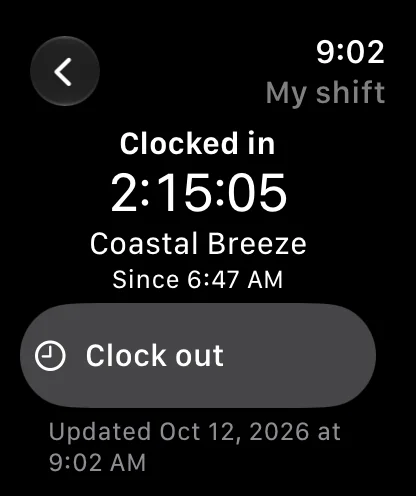
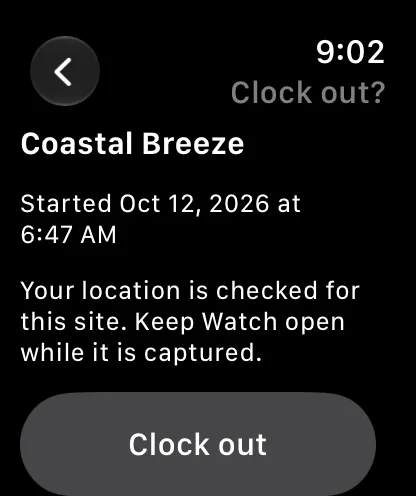
The crew clocks in by phone or at the site kiosk. Managers see off-site punches, break problems and overtime during the week, then export the same time cards to payroll.
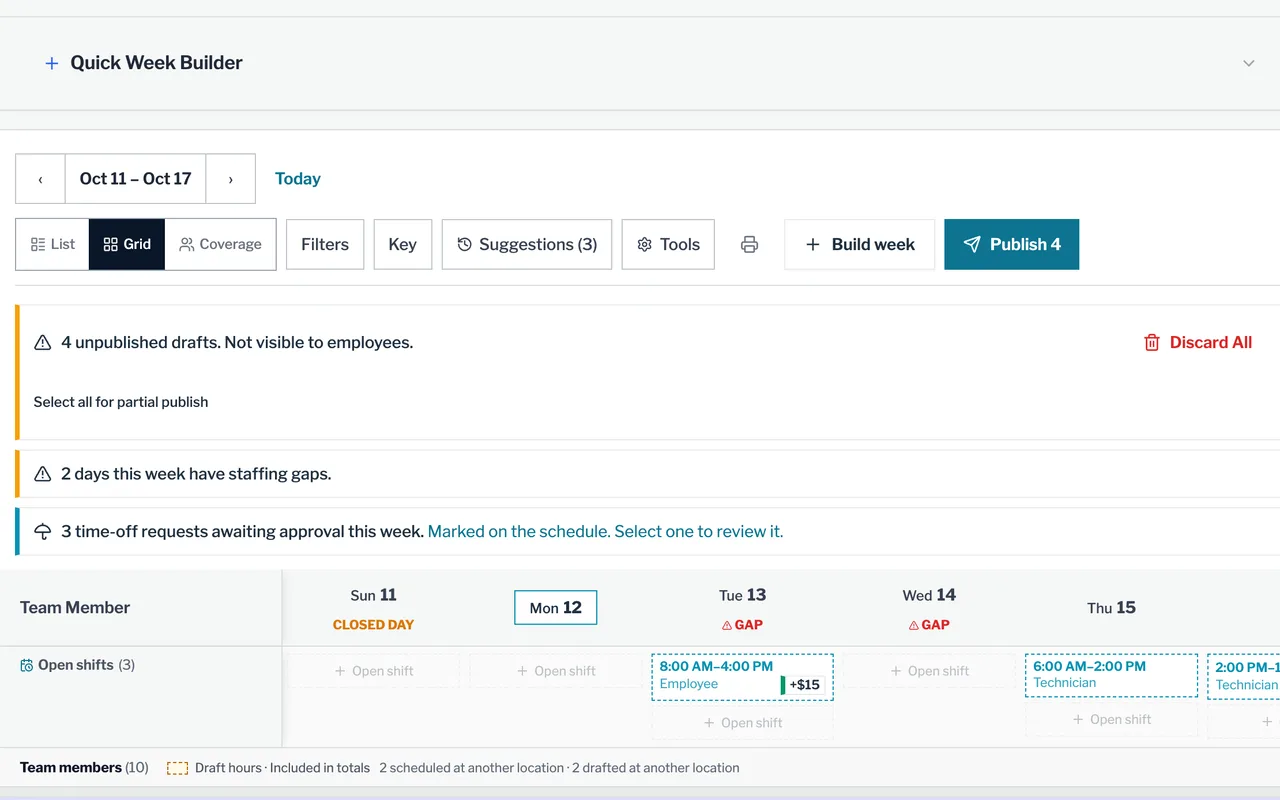
Build the week from a template and publish it. WashConsole flags conflicts and coverage gaps, and AI can draft a first pass from availability and time off.
Time clock
Clock in from a phone. A punch from outside the site’s GPS radius is flagged for a manager, with the spot on a map.
Site kiosk
Each worker clocks in with their own PIN on a shared device at the site. A site can require kiosk-only punches.
Open shifts
Post an open shift with a pickup bonus. Trades, giveaways and time off go to a manager to approve.
Breaks and overtime
Workers get break reminders. Managers get warnings for meal and rest rules and for daily or weekly overtime.
Time card fixes
A worker asks for a correction and a manager approves it. The original time and who changed it stay on the record.
Payroll export
Run the pre-payroll checklist, then export hours for Paychex Flex, isolved or another payroll provider.
People Review
See attendance, training, finished tasks and the reviews that name each person side by side, never combined into one score.
People and contacts
Keep each person’s role, sites, job title and emergency contact, plus the vendors and service techs each site calls.
LearnConsole
Train every new hire the same way, at every site.
Start with built-in car wash courses or build your own with AI. Training goes out by role or job title, reminders go out on their own, and you can see who holds each certificate.
Car wash courses written by our team, plus courses from vendors, ready to assign when you sign up.
Build with AI
Type a topic, paste a procedure or upload a PDF, and get a course outline and a quiz to review.
SOPs become training
An approved SOP becomes a read-and-acknowledge course, assigned by role with a deadline.
Onboarding paths
Pick the courses for each role or job title. New hires get them when they join or change roles.
Skill checks
Quizzes, find-the-spot photo questions and hands-on checks that a manager scores on site.
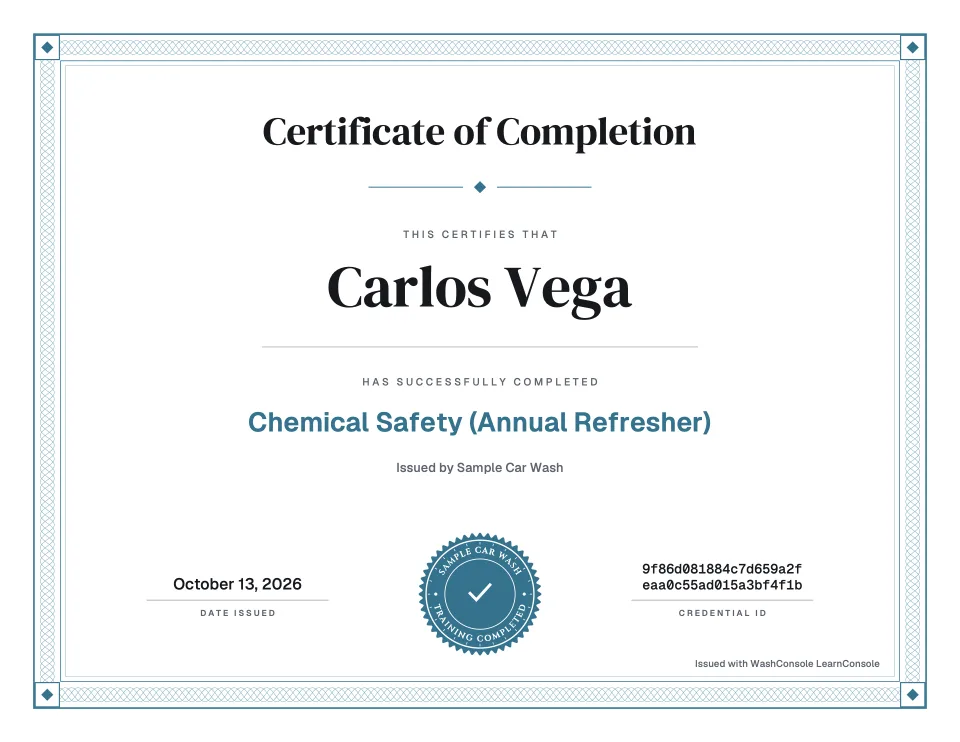
Certificates
Certificates can expire, be renewed or be revoked. Reminder emails go out before they lapse, and a task can require a current one.
ChatConsole
Keep work talk out of personal group texts.
Each site has a channel that new team members join automatically. Messages, photos, videos and the work records they are about stay in WashConsole, on the web and on phones.
A channel for each site that new team members join automatically, plus one for the whole company.
Announcements
Set who can post in each channel, so the company channel can carry announcements only.
Direct messages
One-to-one and group messages with read receipts. A message written without signal sends once you are back online.
Share a record
Attach a live work order, To-Do, inspection, complaint or chemical record to a message.
Photos and video
Send a photo or a video of the problem instead of describing it.
WashBot help desk
WashBot answers questions about the app from our help articles and your training. If it can’t, it hands the question to our support team.
Sensors
Get a push when a sensor finds water or a room goes out of range.
Shelly sensors from our store report to WashConsole. A leak, a reading out of range or a sensor that stops reporting sends an alert, and a temperature problem opens a work order.
Pick one of fourteen themed inspections and try the same checks your crew can run in WashConsole: photos, yes/no answers, ratings, timers and notes. Photos are samples, and nothing is saved.
Swipe to choose from all 14 inspections.
Inspection 1 of 14
Vac Attack
The crumbs picked the wrong parking spot.
Put one vacuum through its paces. Find out who owns the floor mats.
Six checks
1. Meet the mess
Photo
Capture one dirty mat before the vacuum gets its moment.
2. Hose inspection
Yes / No
Are the hose and nozzle intact, clear, and ready to use?
3. Crumb countdown
Stopwatch
Time one pass across the same section of the mat.
0:00
4. Pulling its weight?
Rating
Rate suction: 1 = struggling; 5 = crumbs never stood a chance.
5. The holdouts
Note
Note debris left behind and the vacuum station number.
6. Victory evidence
Photo
Photograph the same mat section after the pass.
0 of 6 complete
Every feature at every site. Pricing by site type.
The first tunnel site is $150 a month, and each additional tunnel site is $75. Every in-bay automatic or self-serve site is $50 a month.
WashConsole
Your monthly estimate
First tunnel site$150
Monthly total
$150$150/month
Included at every site
All 6 consoles
AI tools in every console
No per-user fees: up to 50 active team members per site
Credit card required. Stripe shows your amount due today before you pay. No contracts. Cancel anytime. Sensor hardware sold separately.
Run the work behind every car wash.
At a busy wash, an opening checklist gets missed, tire shine runs dry in the middle of a rush, or a conveyor problem mentioned in a group text never makes it onto the repair list. That work should not depend on a clipboard or somebody’s memory.
WashConsole is car wash operations software for the daily work your crew already does. They can run inspections from the iPhone app or mobile web, and a failed check can open a work order with its notes and photos attached. Chemical and supply levels can trigger reorder requests before you run out. Scheduling, the time clock, training and team chat stay together, while owners follow activity across their sites.
What owners ask us when they are choosing car wash operations software.
Yes. Start from example checklists for each wash type and adjust them to your own equipment and routines.
Your point-of-sale system handles wash sales and memberships. WashConsole focuses on the work that keeps the site running: inspections, repairs, chemicals, supplies, schedules, and training. Use it alongside your existing POS; confirm any specific integration you need during your demo.
Yes. Keep work organized by location while owners and managers follow activity across the sites they oversee. WashConsole uses per-location pricing with no per-user fees. See current pricing.
A setup call with our team, and we import everything you already have. We train your managers and crew, support you on site, and answer 24/7. We are 100% committed to an easy onboarding.
Walk through a real shift: complete an inspection, turn a failed item into a work order, check a chemical level, and review the team schedule. Then look at the same location as a manager. The right setup should make both the employee’s next step and the manager’s follow-up clear.
Start with an opening or closing checklist and the equipment your team checks most often. Browse our car wash inspection templates and preventive maintenance guide, then adapt the routine to your site and equipment instructions.
Yes. The iPhone app runs inspections, the time clock, chemical checks and alerts, and an iPad can serve as the shared kiosk time clock at each site.
It depends on the site type. Your first tunnel site is $150 a month and each additional tunnel site is $75; every in-bay automatic or self-serve site is $50 a month. Every feature is included, with no per-user fees: up to 50 active team members per site.
Register your company, choose how many sites you run and whether they are tunnel or in-bay/self-serve sites, and check out securely through Stripe. Stripe shows exactly what you pay today and when you are billed next, before you confirm. Accounts that mix tunnel and in-bay or self-serve sites are set up with you on a short call. There is no contract, and you can cancel anytime.
WashConsole works with Shelly leak and temperature sensors and Shelly relays sold in the Sensor Store. Set up each Wi-Fi device with Shelly Smart Control and the WashConsole setup guide. Compatible Bluetooth sensors need a Shelly BLU Gateway and are paired in the WashConsole iPhone app or with our support team. WashConsole sends leak and temperature alerts to the right person.
Questions? Talk to our team.
Book a live demo, call or email. Our team answers 24/7.