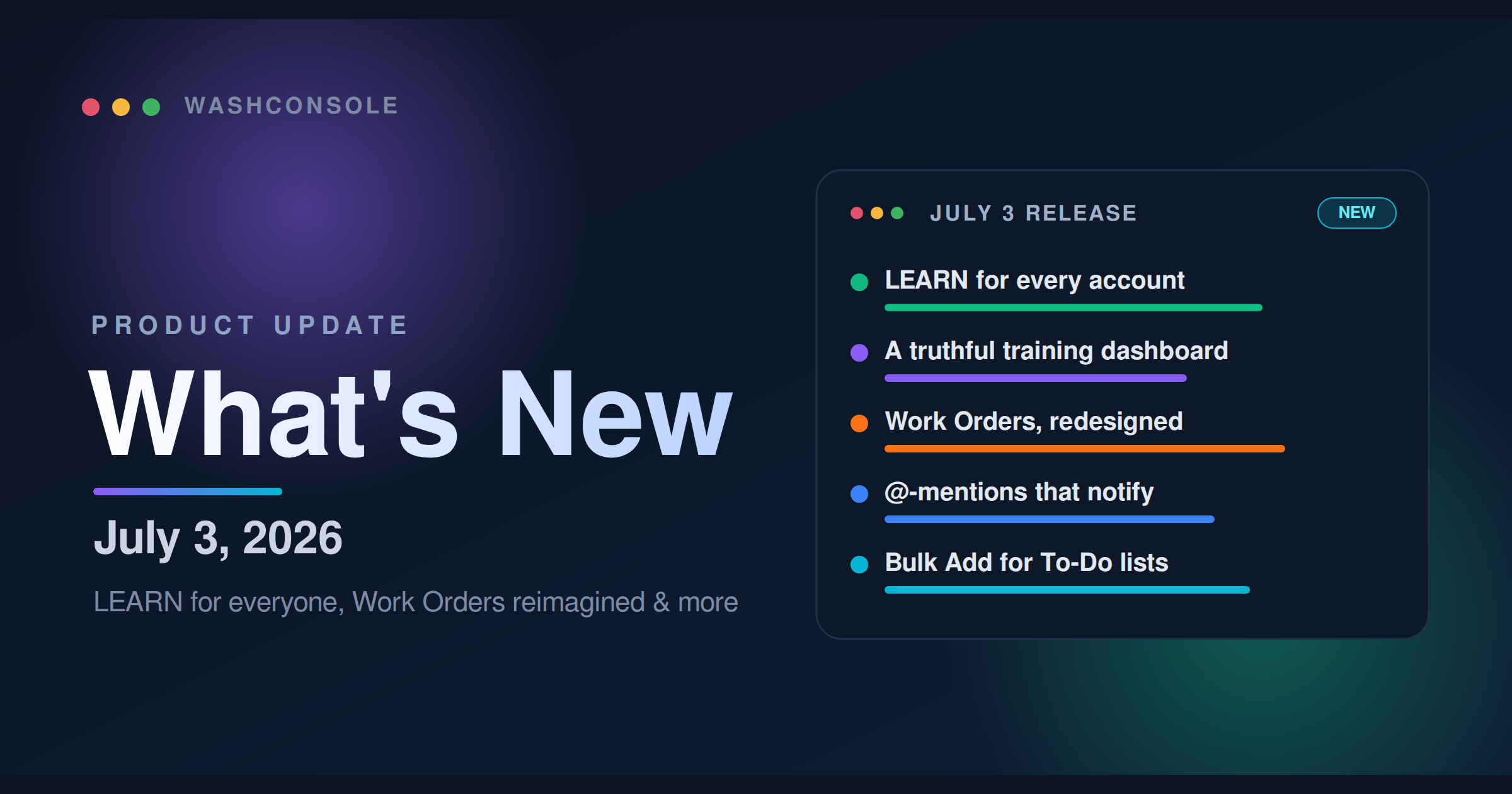
LEARN is now standard in every WashConsole account. This update also makes training status easier to trust, improves Work Order closeout and maintenance costs, adds @-mentions and To-Do Bulk Add, and centralizes notification settings.
WashConsole Team/July 3, 2026/6 min read
The Short Version
This release is about trust and follow-through. Training (LEARN) is now included in every WashConsole account, so courses, certifications, and onboarding paths are no longer something a team has to switch on separately.
We also tightened the places where daily work can get fuzzy: training status now shows what is actually overdue or not started, Work Orders capture how something was fixed and what it cost, @-mentions bring the right teammate into the note, Bulk Add turns a pasted checklist into real tasks, and notification settings now live in one place.
Most of this came straight from operator feedback. The web updates are rolling out now, with the latest mobile changes landing in the next app update.
A few favorites
01
LEARN is included for every account.
Training now sits beside the rest of your WashConsole tools, from the first course to full certification tracking.
02
Training status is more honest.
Expired certifications show Renewal due, and not-started courses no longer look like work already in progress.
03
Work Orders close with context.
Completed work now has its own view, a required resolution note, and cost breakdowns for parts and labor.
04
Task coordination is faster.
@-mentions notify teammates inside work order and complaint notes, and Bulk Add turns a pasted list into scheduled tasks.
05
Notification rules are easier to manage.
Choose email, push, both, and digest timing from one settings matrix.
Major Updates
LearnConsole
LEARN for Every Account
Training is no longer an add-on or opt-in feature. Every WashConsole account now includes LEARN, so teams can build courses, assign training, manage certifications, and connect training to onboarding without a separate setup step.
For operators, the change is simple: training now belongs in the normal flow of running the site, right alongside tasks, work orders, chat, and scheduling.
LearnConsole
Training Status Managers Can Trust
The manager dashboard got the biggest upgrade. It now separates the status you need to act on from the status that only looked complete before.
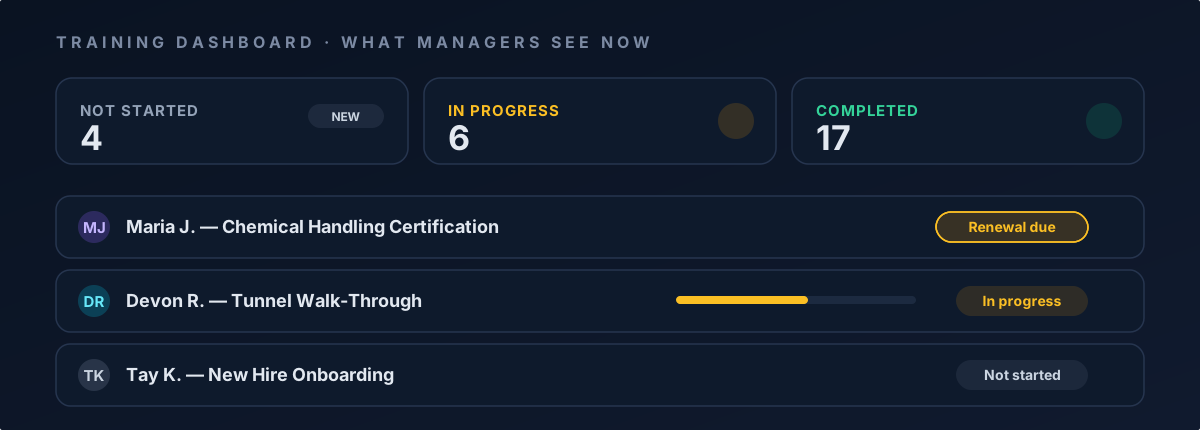
Expired certifications are visible. A certification that has lapsed now shows Renewal due instead of hiding behind a 100%-compliant green check.
Renewals show up early. Certifications expiring within 30 days are called out before they become a problem.
Not started is separate from in progress. Courses a learner has not opened no longer get mixed with courses they have actually begun.
Individual drilldown is clearer. Open any team member to see where they stand across every course and certification.
Overdue training finds the right person. Managers get an overdue digest, and learners get a push notification as soon as a course is assigned.
The manager training dashboard now splits Not started from In progress and flags expiring certifications with a pulsing Renewal due chip.
Course Editing and Onboarding
Course setup is also easier to reason about. The editor now has two tabs, Details and Who gets this, so content and audience changes go out together in one save. When you publish a course, WashConsole asks whether it belongs in the new-hire onboarding path, so future team members can pick it up automatically.
Managers also get more lifecycle control: withdraw or reopen a certification, restore an archived course to draft, and keep archived courses out of training reports.
OpsConsole
Work Orders and Maintenance Log
Work Orders are now organized around the full maintenance story: what is still open, what was completed, how it was resolved, and what it cost.
Completed work has its own home. Closed work orders now live in a clearer completed view, so the active list stays focused on what still needs doing.
Every closure gets a resolution. Closing a work order now asks for a resolution note. Months later, you can see what fixed the issue, not just that someone closed it.
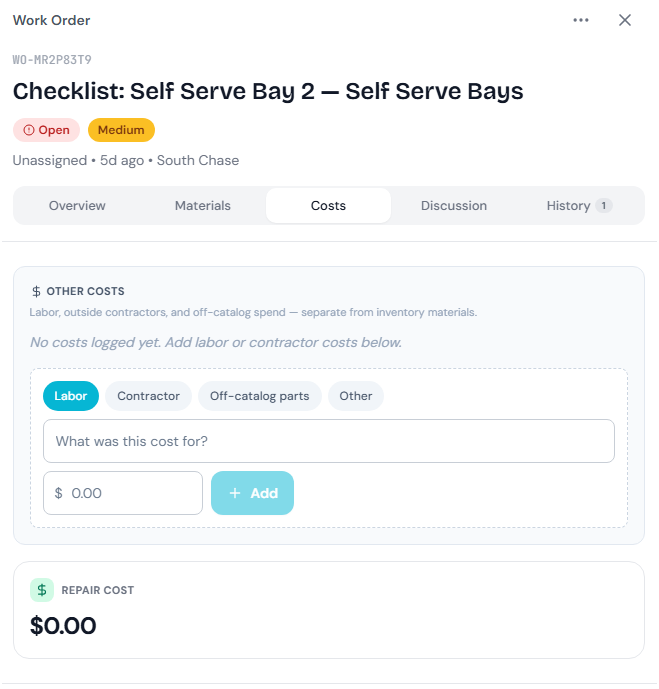
Costs are easier to scan. A new summary breaks down parts and labor with at-a-glance cost bars, both per work order and across maintenance history.
The Maintenance Log is easier to reach on mobile. Everyone who works with work orders can open it, and active work orders share one search with the log.
The new Costs tab on a work order: log labor, contractor, and off-catalog spend separately from inventory materials, with a running repair cost total.
OpsConsole
Bulk Add and @-Mentions
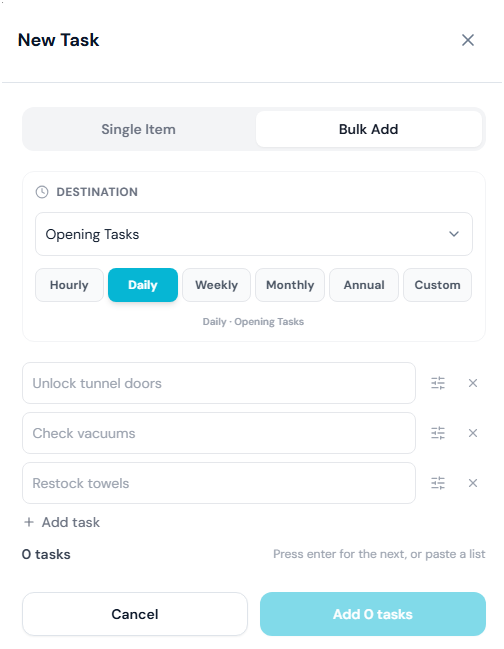
To-Do Lists now have a faster way to build a batch of work. Paste or type one task per line, then set each line's zone, location, equipment, and schedule before creating everything at once. Building tomorrow's opening checklist should take seconds instead of a long run of repeated task forms.
@-mentions now work where operational conversations already happen. Type @ and a teammate's name in a work order or complaint note, and they get notified instantly.
Bulk Add in the New Task modal: choose a destination and cadence, then type or paste one task per line, each line becomes its own scheduled task.
Platform
Notification Control
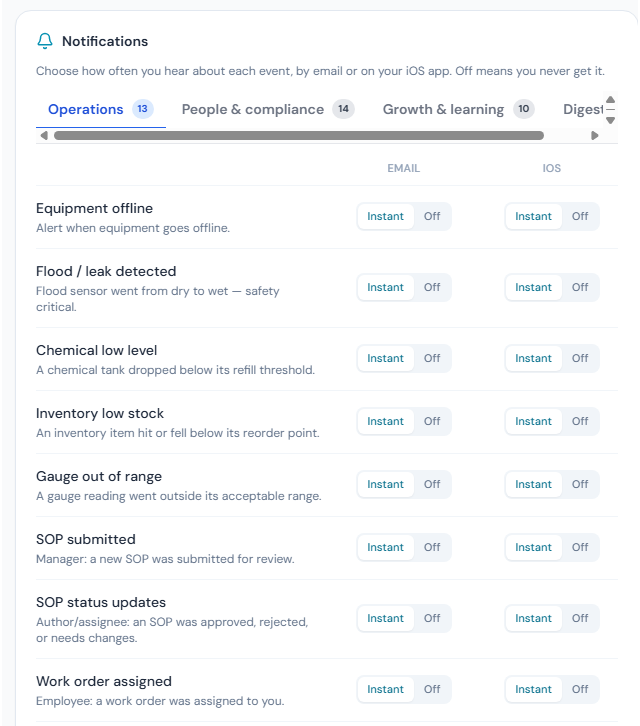
Notifications now have one settings matrix. For each event, choose whether you want email, push, or both, and set how often digests arrive. The goal is less noise and fewer missed signals.
The notification matrix in Settings: for every event, pick email or iOS push per category: Operations, People & compliance, Growth & learning, and digests.
More Improvements
Share Daily Inspiration everywhere at once. Send the day's inspiration to multiple channels and people in one action, and if a send hiccups, WashConsole retries just the ones that missed.
A schedule you can read by role. The schedule's List view now groups shifts by role, so you can see your washers, your cashiers, and your leads at a glance.
Export your team roster. Managers and owners can export the team directory to CSV. Sensitive fields like compensation and manager notes stay out unless you explicitly include them, and they're only available to roles that can already see them.
Bug & Glitch Fixes
We also spent time tightening the details. A few fixes you might notice:
Updates will not yank the page out from under you. When we ship a new version, your open tabs keep working and never hard-refresh while you're mid-task.
Chat jump-to is honest. Jumping to a very old message from search now tells you it needs loading instead of silently doing nothing.
Failed messages say so. On mobile, a WashBot message that fails to send now shows a clear error right in the thread.
Reactions stay put. An emoji reaction no longer flickers away for a moment while other chat activity syncs.
Mark-unread behaves on mobile. Marking a thread unread now works the same on the mobile app as on the web.
Plus dozens of smaller polish fixes across web and mobile, for an experience that feels a little steadier everywhere.
That's the latest. As always, these updates came from real operators telling us what would make their day run smoother, so keep the feedback coming.
Built by Carwash Operators, for Carwash Operators. Learn more at WashConsole.