The biggest release we have shipped. A new iPhone app, Feed, a coaching console that prints a real write-up, inspections that need two signatures, a Claude connection you can ask about your own wash, and the first wave of Spanish. Console by console, here is all of it.
WashConsole Team/August 23, 2026/11 min read
This is 5.0, and it is the largest release in WashConsole's history. Three weeks of work, a new version of the iPhone app, and something new on almost every page you use.
Four things are worth opening first. Feed puts everything your crew finished into one stream, photos first. People Review turns a coaching conversation into a real, printable write-up that counts its own occurrences. Two-person sign-off means a handover inspection can require two different managers before it closes. And you can now connect WashConsole to Claude and ask what is broken at Lakeside in plain English.
Everything below is grouped the way the app is: by console, then by page.
iOS 5.0
WashConsole for iPhone
The app was rebuilt this month, which is why this release gets a whole number.
Feed is a tab in the app, for every role.
A rebuilt look. A calmer, less cluttered screen, and a Time Clock panel on the home screen that shows who is on the clock right now.
Feed is a tab, for every role, with the same cards, reactions and share-to-chat as the web.
Notification settings grew from 4 toggles to 50 events, each one email or push, on or off, per person.
Hours by team member now scrolls across multiple weeks with a pinned name rail, and shows both decimal and hours-and-minutes.
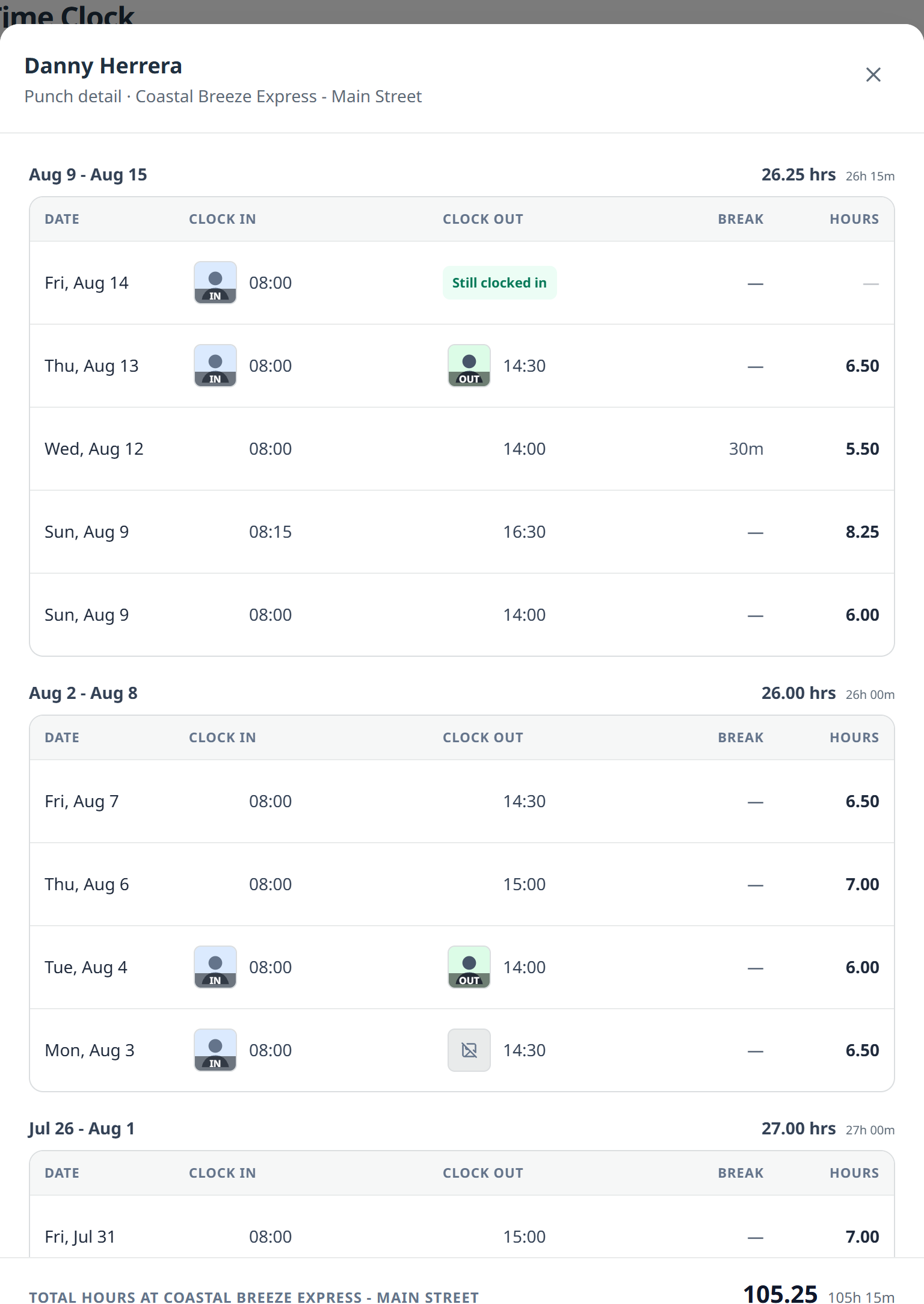
Press an employee to see their punch detail: every clock in and clock out with the photo taken at the punch.
Downtime figures on the Maintenance Log, the same ones the web shows.
Español has started on the account and settings screens.
Almost everything else in this post is on the phone too. Where it is web only, the section says so.
Feed
Feed
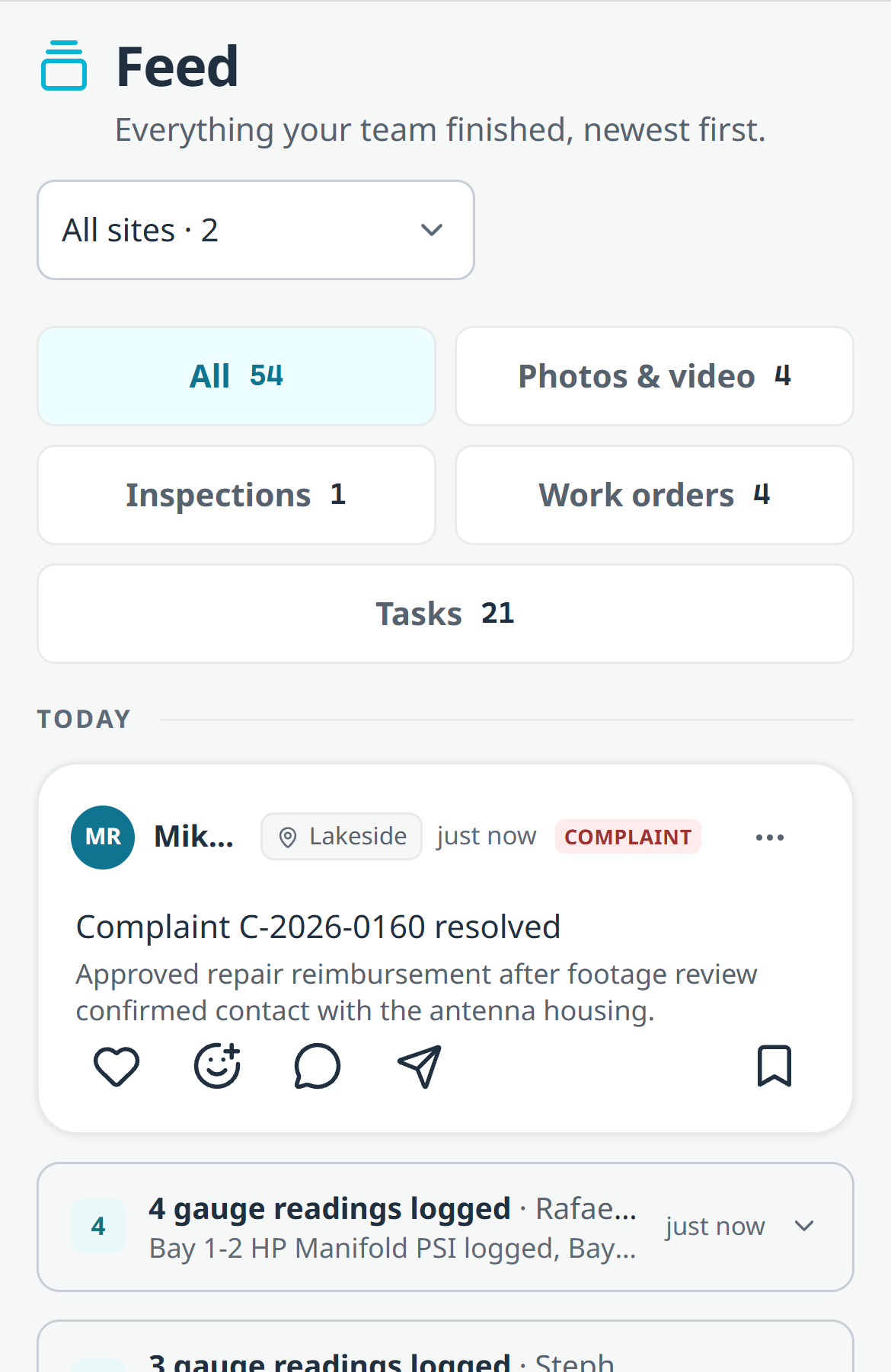
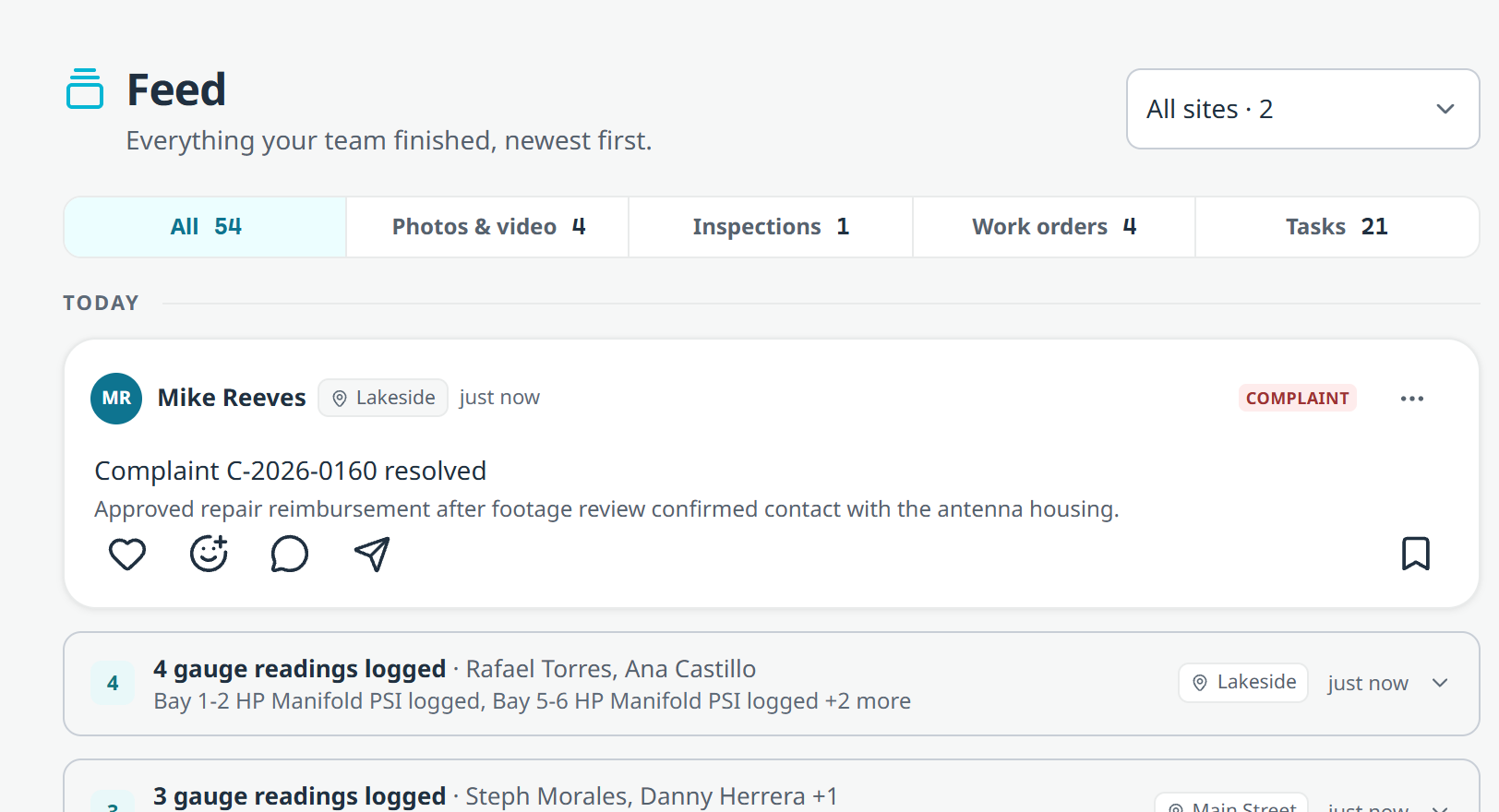
What your team finished today and yesterday, newest first.
Two days of finished work, newest first.
Photos and clips lead. Tap any card to open the record behind it.
Two days of work, so the stream stays current instead of becoming an archive.
React and comment, with the same six reactions you already use in chat.
Share a card into a chat channel when someone needs to see it.
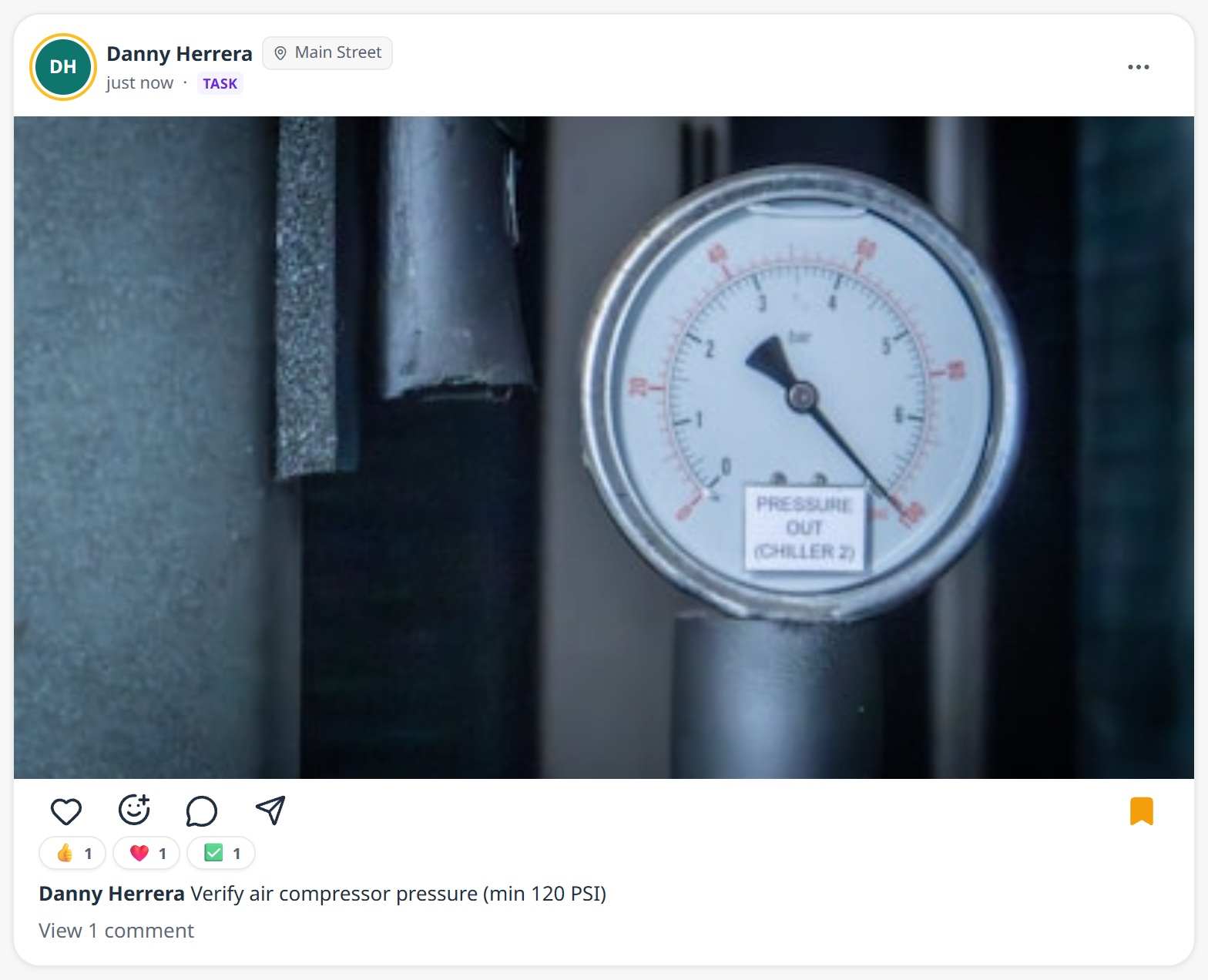
Quiet work groups itself. Three gauge readings become one line, not three cards.
Wide screens get more columns, instead of one very wide one.
Every role, web and phone.
OpsConsole
To-Do
The daily list got a home for custom lists, a real report card, and tasks that start the next list on their own.
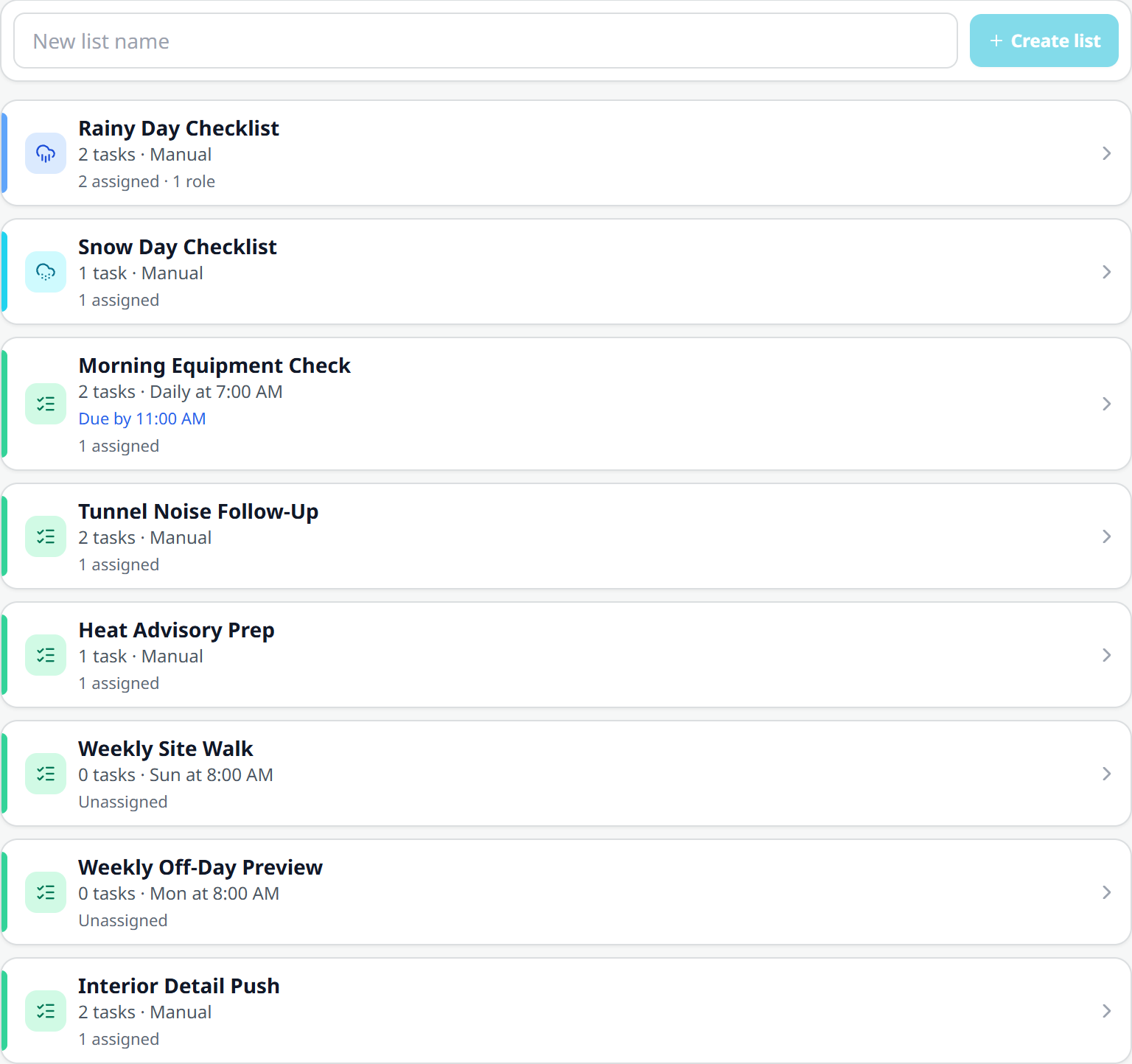
Custom lists finally have their own place.
Tasks and Lists are now separate segments inside Edit tasks, so your custom lists stop hiding behind the task editor.
One honest opening time. A scheduled list says when it opens and when it is due by, in the site's own clock, and it reads the same everywhere.
A manual list has no clock. If nobody scheduled it, it does not pretend to be due.
A new list is saved in one go, so a half-made list can no longer exist.
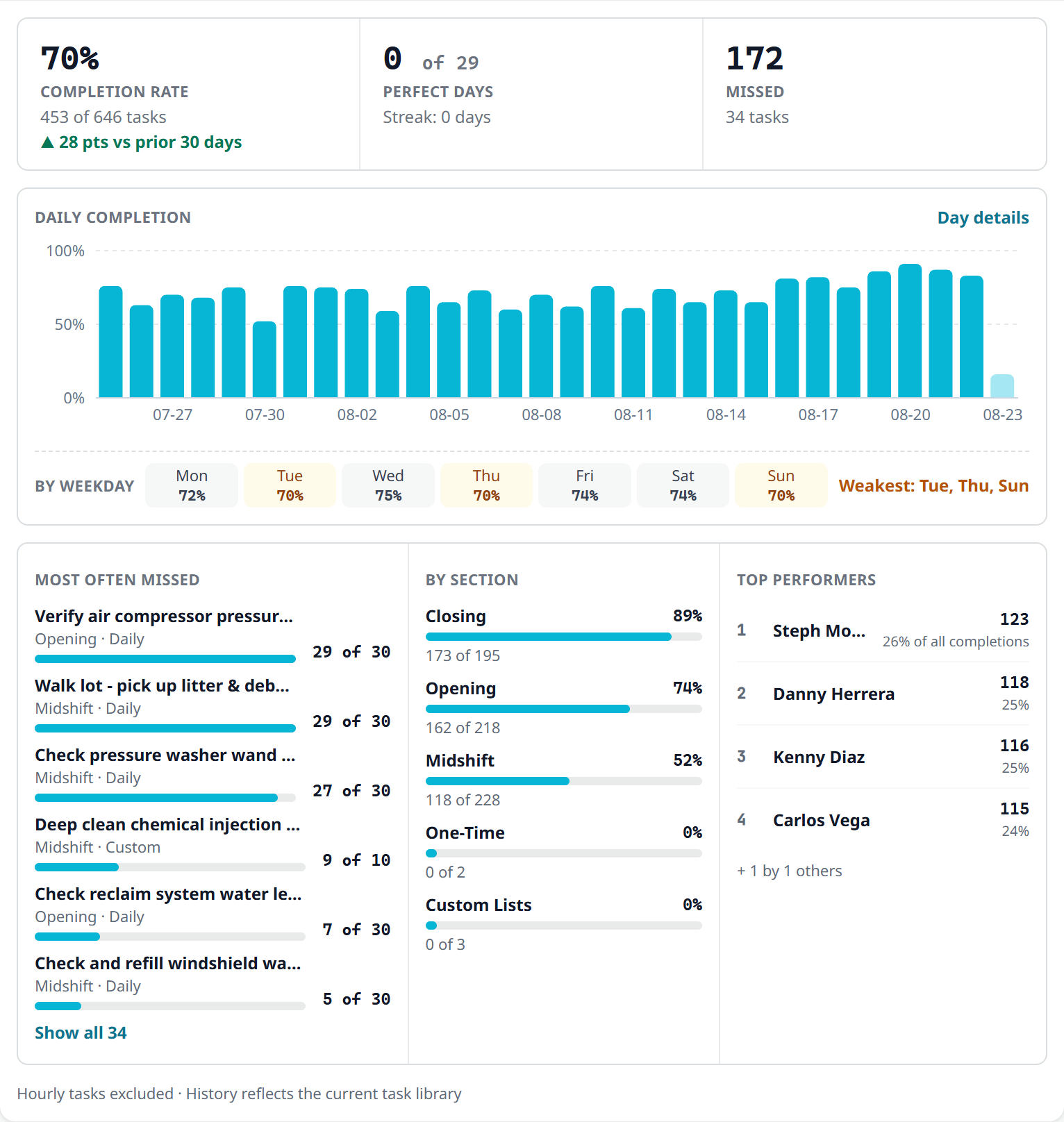
Yesterday, a week, a month, a quarter, or all of it.
Insights is one line collapsed, so the daily flow is unchanged. Open it and you get completion against the prior period, the tasks missed most often with their counts, your weakest weekday, and who actually finishes the work. New in 5.0: a Yesterday range, all-time, and a day drill-down so you can open a single date and see what happened.
A month of completion, and who finishes.
Completions are exact. The card footer tells you where older comparisons get fuzzy, because a task that has been edited or deleted blurs its own history.
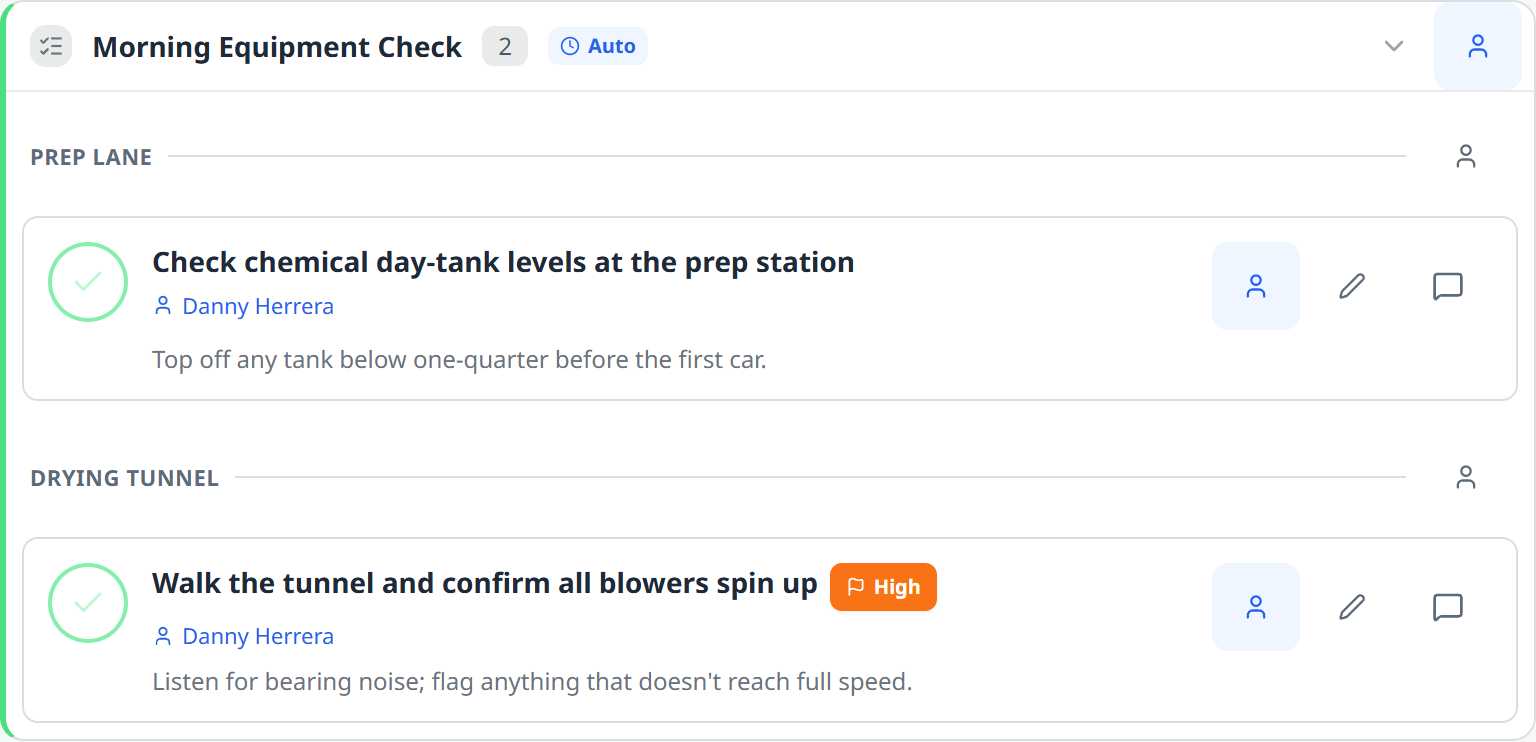
One list, assigned zone by zone.
Assign a zone, not just a list. The touchless bay tasks go to Alice, the vacuum tasks to Bob, and it is still one list. Assignments add up instead of overriding, so a task never drops off the list owner's Mine tab.
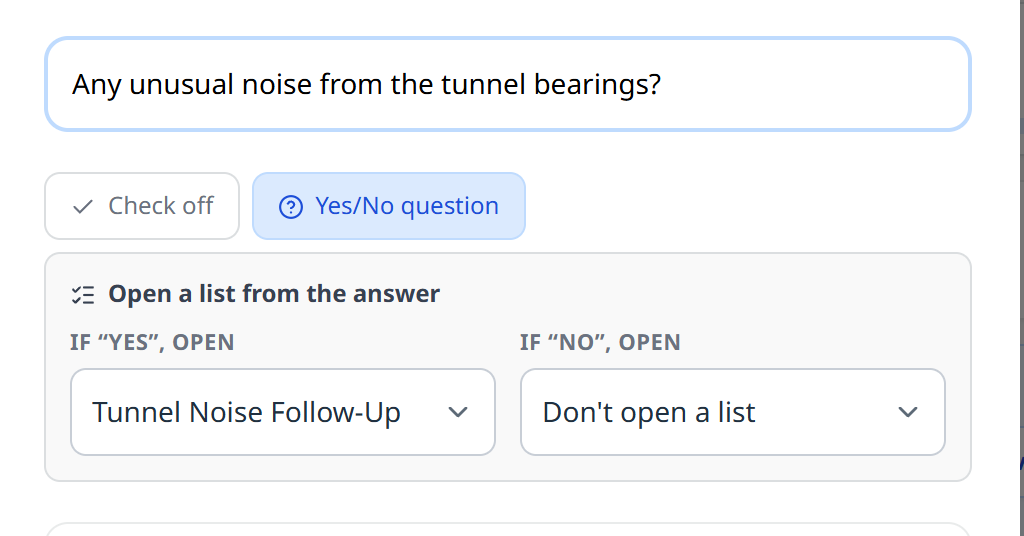
An 'is it OK?' answer opens the next list.
Yes/No tasks that open the next list. Some tasks are not "did you do it", they are "is it OK". If the tunnel bearings sound wrong, the follow-up list opens on its own, assigned the way the template or the list says. Nobody has to notice and start it.
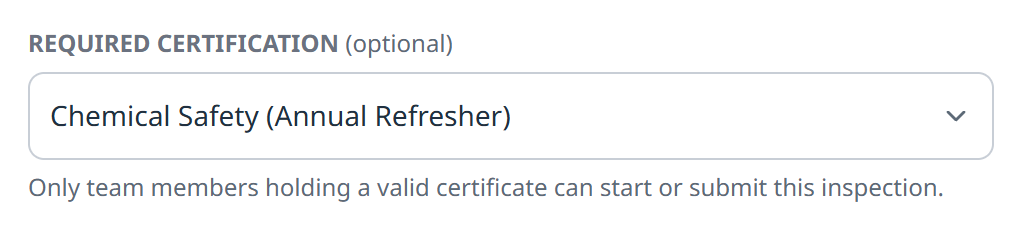
Also here: certification-gated tasks (only a valid certificate holder can complete one), weather-triggered suggestions that tell you whether they will actually fire, and completion alerts you can route to a role instead of a person.
Insights is site leads and up. Everyone sees the rest. All of it is on the phone.
OpsConsole
Inspections
Rounds that run on your clock, and a handover that needs two signatures.
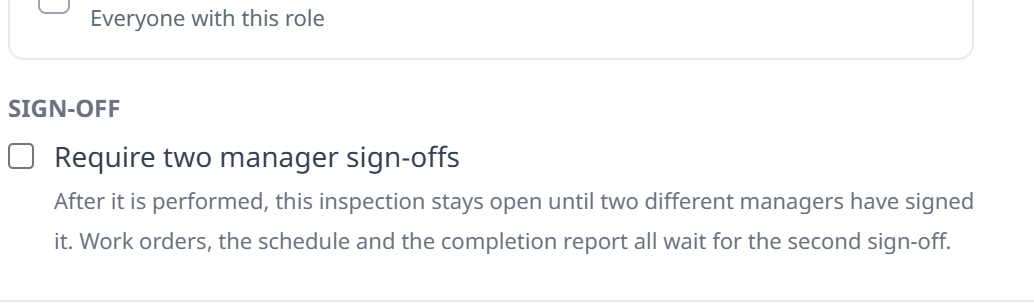
Two people, or it does not close.
Two-person sign-off. Tick one box on a template, and after that inspection is performed it stays open until a second, different manager signs it. Nothing downstream moves until then: no work order opens, the schedule does not advance, and the completion report does not send. The check runs on our servers against the person rather than the login, so one person holding two accounts cannot sign it twice.
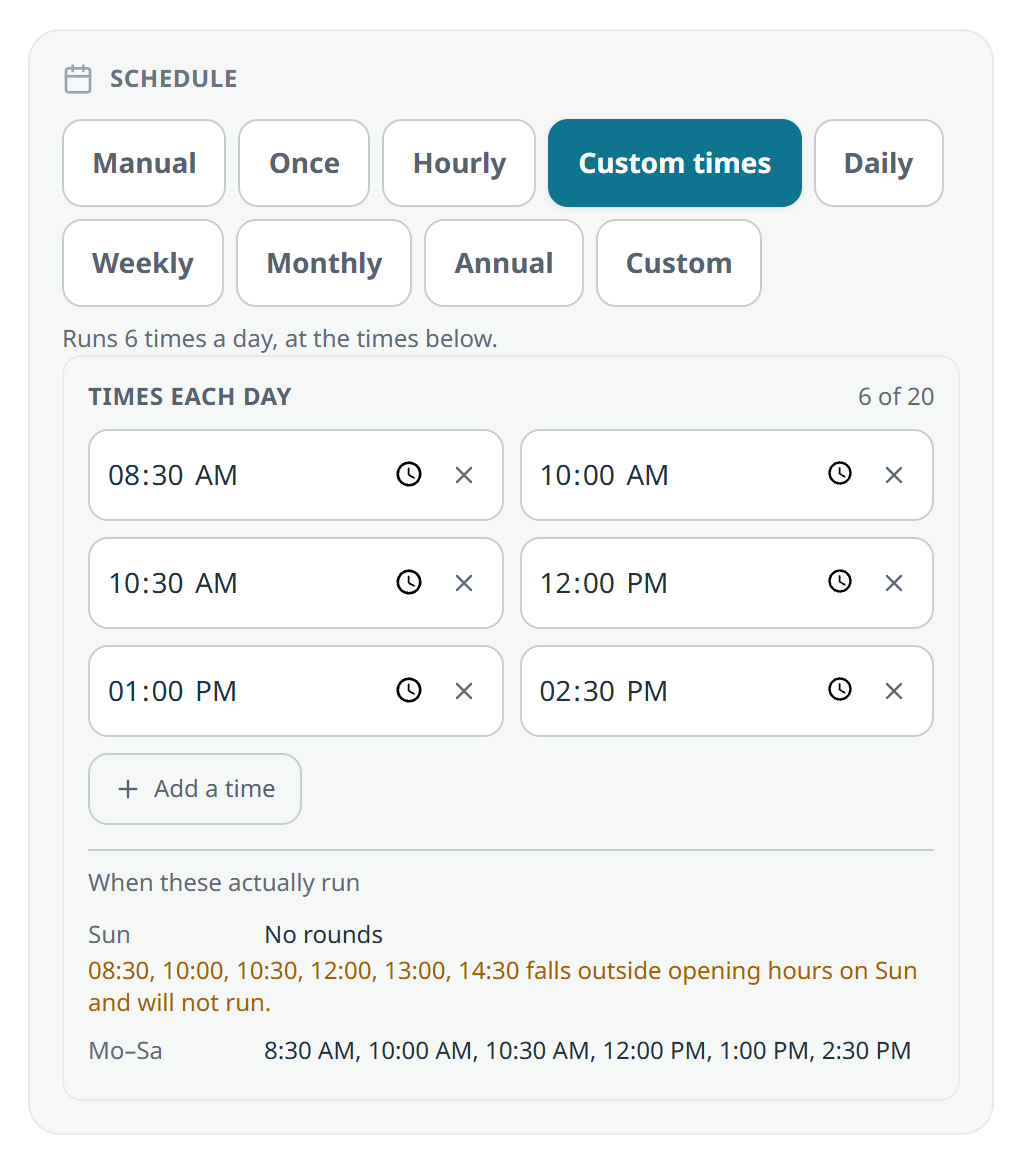
Nine cadences. This one is six fixed walks a day.
Custom times: up to 20 rounds a day, each its own run, with a preview that shows what will really happen. A time before you open slides to opening; a time after you close is dropped.
An open time and a hard deadline. An inspection can be not-yet-due until 8:00 and overdue at 14:00, on the site's clock.
Multi-day windows. A list can open one day and expire the next, and there is a durable record when it expires unstarted.
Hourly rounds, monthly across several days, and a configurable overdue window so a site inside its own window is never accused of skipping work.
A submit that hits a busy moment now retries instead of being lost.
Two-person sign-off ships with the 5.0 app. Turn it on for a template once your team has updated, so nobody is left on a build that cannot read the new state. Template setup is on the web.
OpsConsole
Complaints
Simplify the form per claim type, and see the pattern behind the claims.
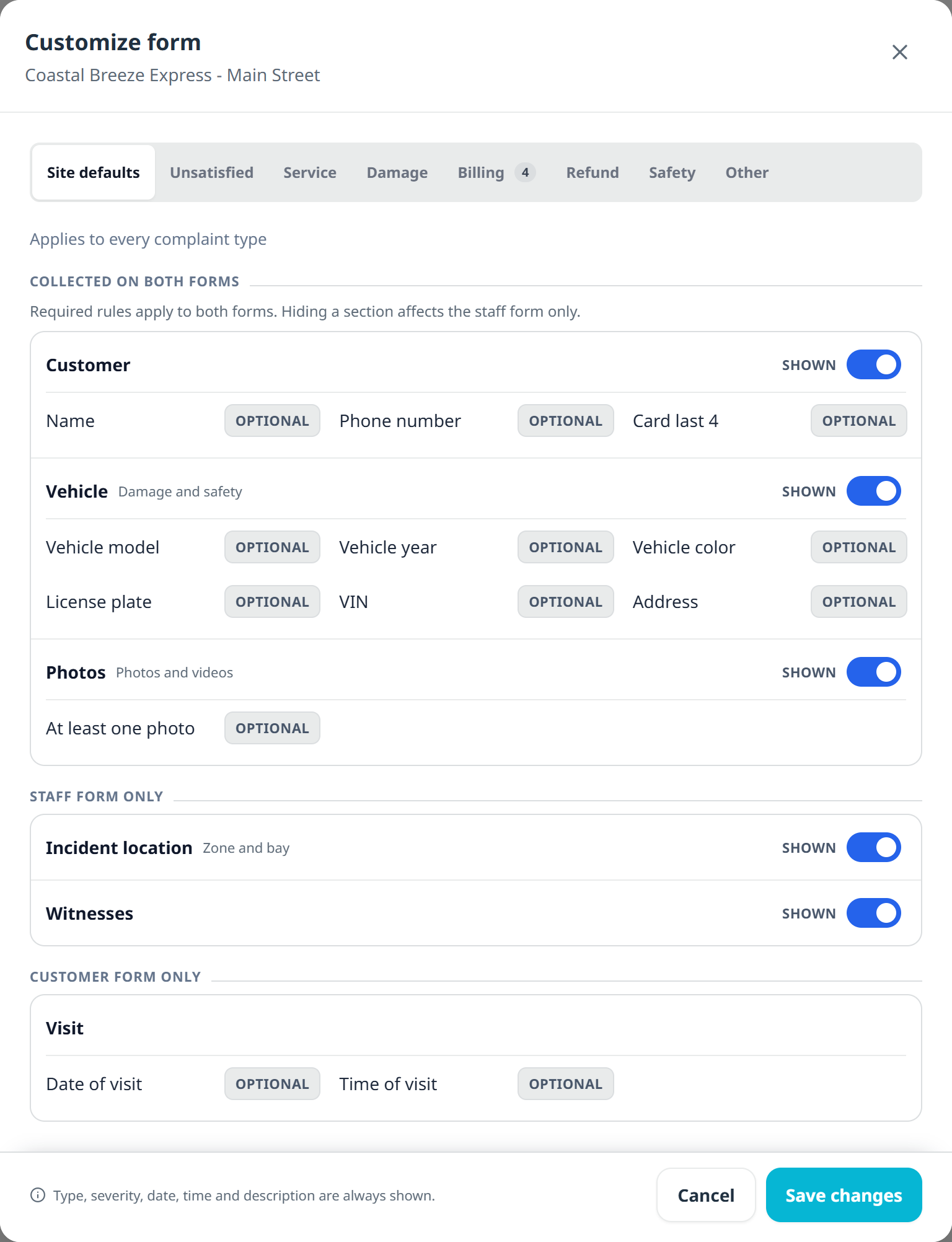
A billing complaint should not ask for a VIN.
Per-type section visibility. A billing dispute does not need a VIN, a plate and a vehicle color. Now each complaint type can hide the sections it never uses, while required rules still apply to both the staff form and the customer form.
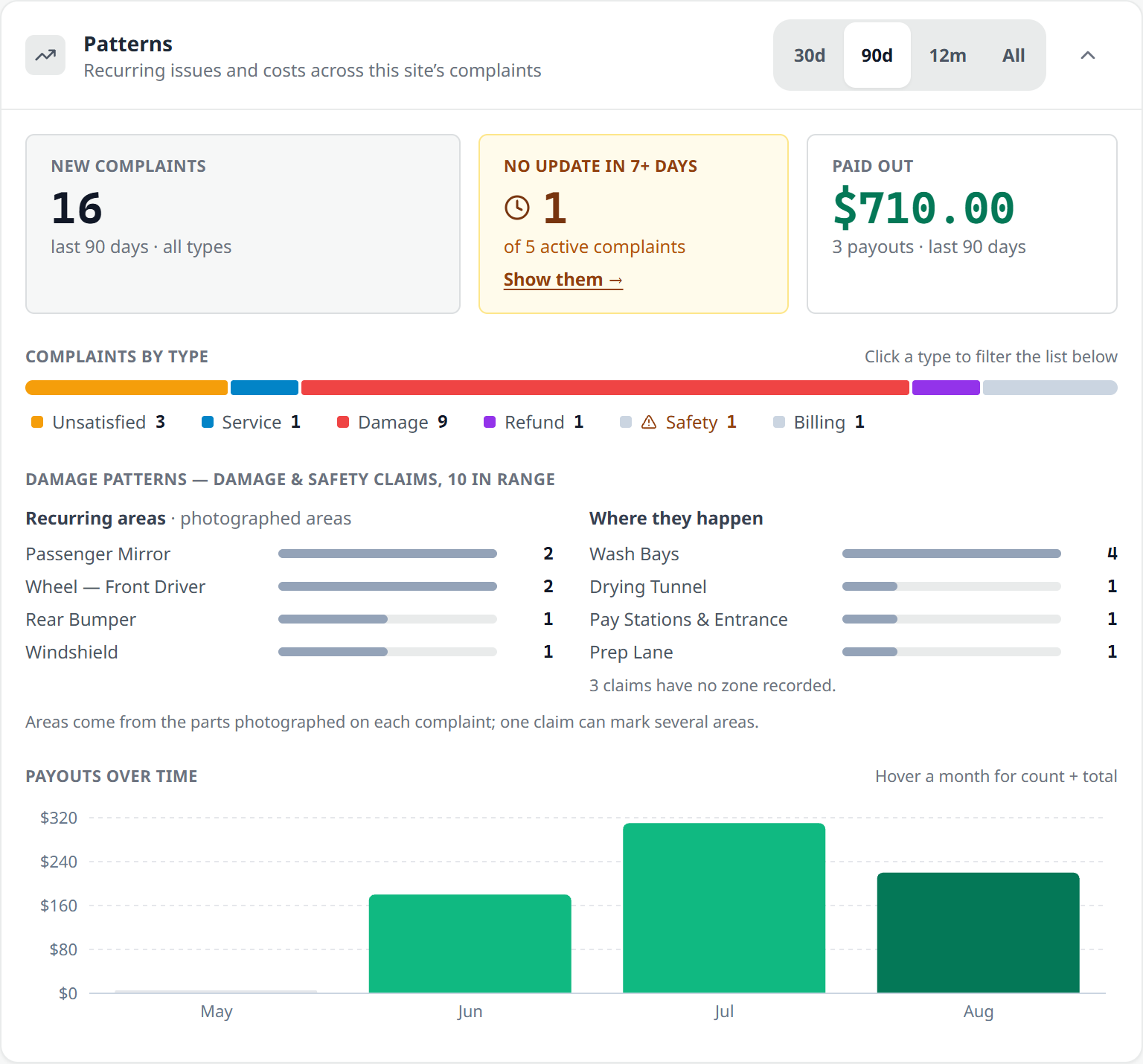
Same mirror, same zone, four times.
Patterns. A single claim is bad luck. Four on the same mirror, all from the wash bays, is a machine. Recurring vehicle areas are built from the parts your team photographed and ranked by zone, with payouts over time so the cost of a pattern is a number instead of a feeling. Claims with no update in a week get a chip, and every row filters the list below it.
Also: a departed assignee no longer freezes a complaint, and a no-op edit is no longer sent only to be denied. Web and phone.
OpsConsole
Equipment and Work Orders
A machine is not just running or not running.
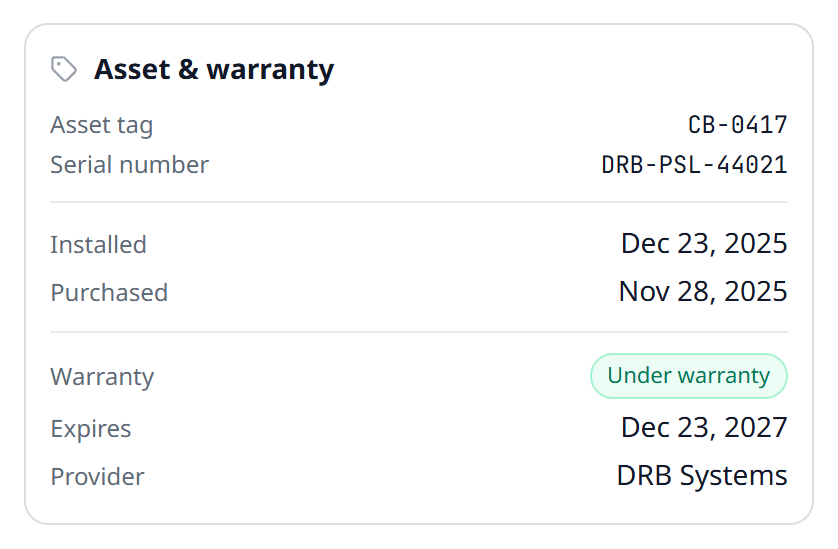
Tag, serial, warranty.
Asset register. Asset tag, serial number, install and purchase dates, retirement date, warranty expiry and provider. Search by asset tag or serial, which is what you have in your hand when you are standing in front of the machine. The card hides itself entirely if you have not filled it in.
Downtime insight on the Maintenance Log, and supplier wait stops counting as repair time on work orders opened from here on. The Waiting on Parts figure is on the web.
Nine Belanger OEM manuals added to the equipment library, from the Air Cannon Dryer to the Airis parts diagrams.
Archiving a zone closes its work orders instead of leaving them stranded.
One work order per maintenance cycle, deterministically, so a redelivered trigger stops minting duplicates.
TeamConsole
Schedule
The grid got wider, the drafts got honest, and the rules got per-site.
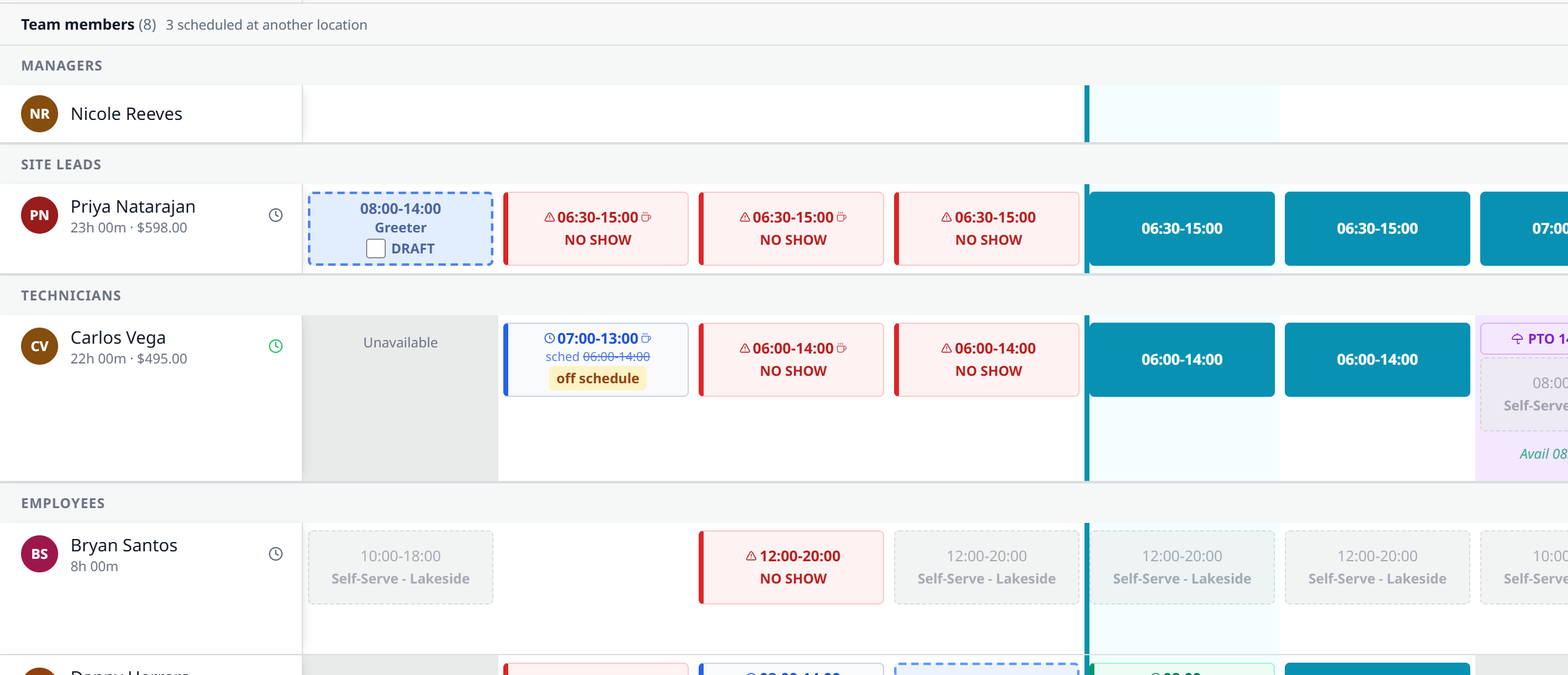
Draft chips now wear the role's color.
Full-width scheduler with draft chips in the role's own color. Pick Greeter and it looks like a Greeter shift.
Managers are schedulable. Put your managers on the grid alongside everyone else.
Overtime warnings use your threshold and your pay week, everywhere, instead of a hardcoded 40.
Managers get told when someone changes their availability.
Breaks entered as a duration place themselves mid-shift at save, and Daily Coverage badges the ones that did not.
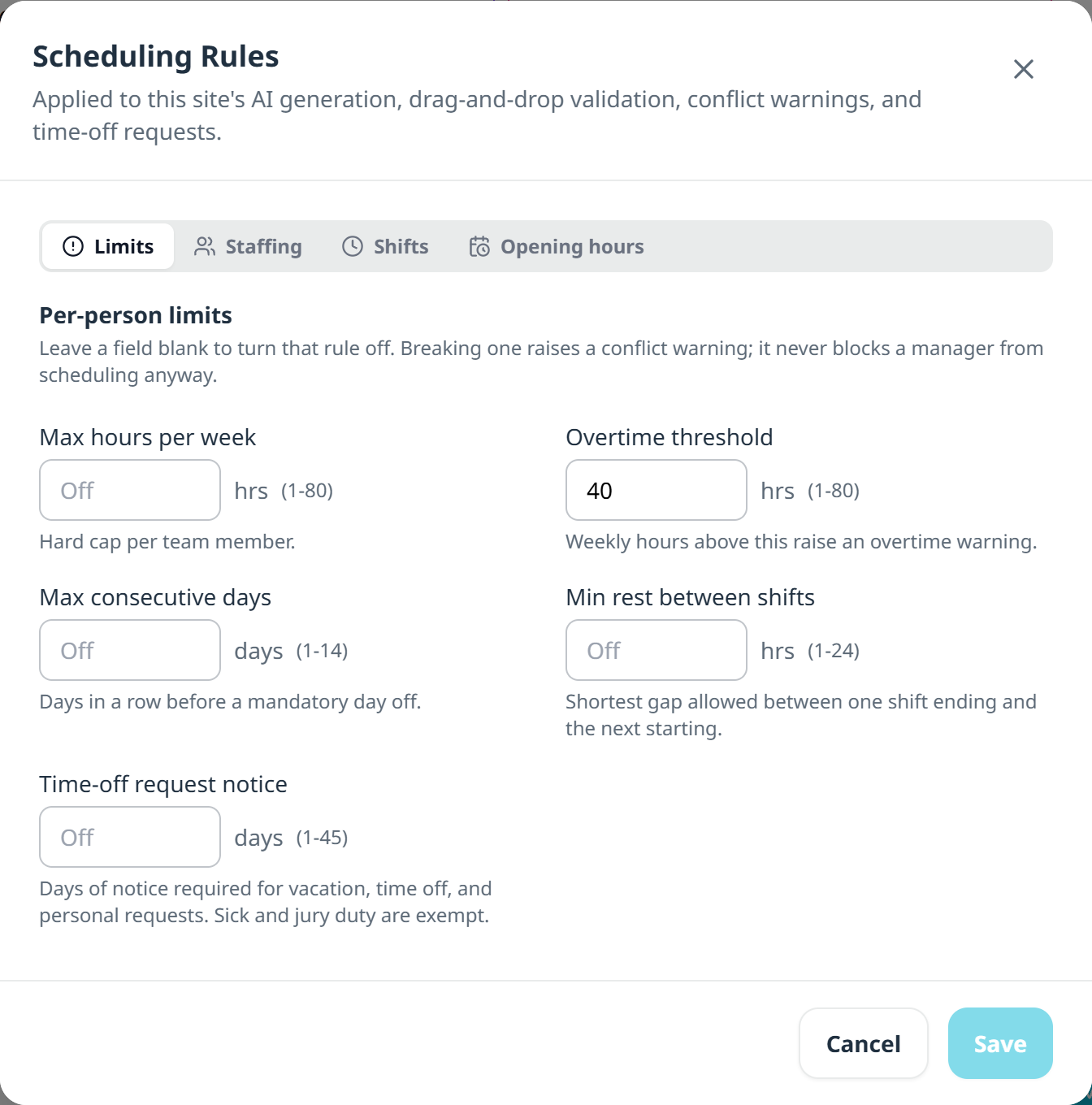
Per-site limits, including a notice window for time off.
A minimum-notice window for time off. Set how many days ahead a request has to be filed, per site, from 1 to 45. Sick days and jury duty are exempt, the picker greys out the days that are closed, and the rejection tells the employee the first day they can actually ask for.
Putting managers on the schedule is switched on per account. Ask us. Rules setup is on the web; the limits apply everywhere.
TeamConsole
Time Clock
Per-site rules, and a payroll export you can hand to a bookkeeper.
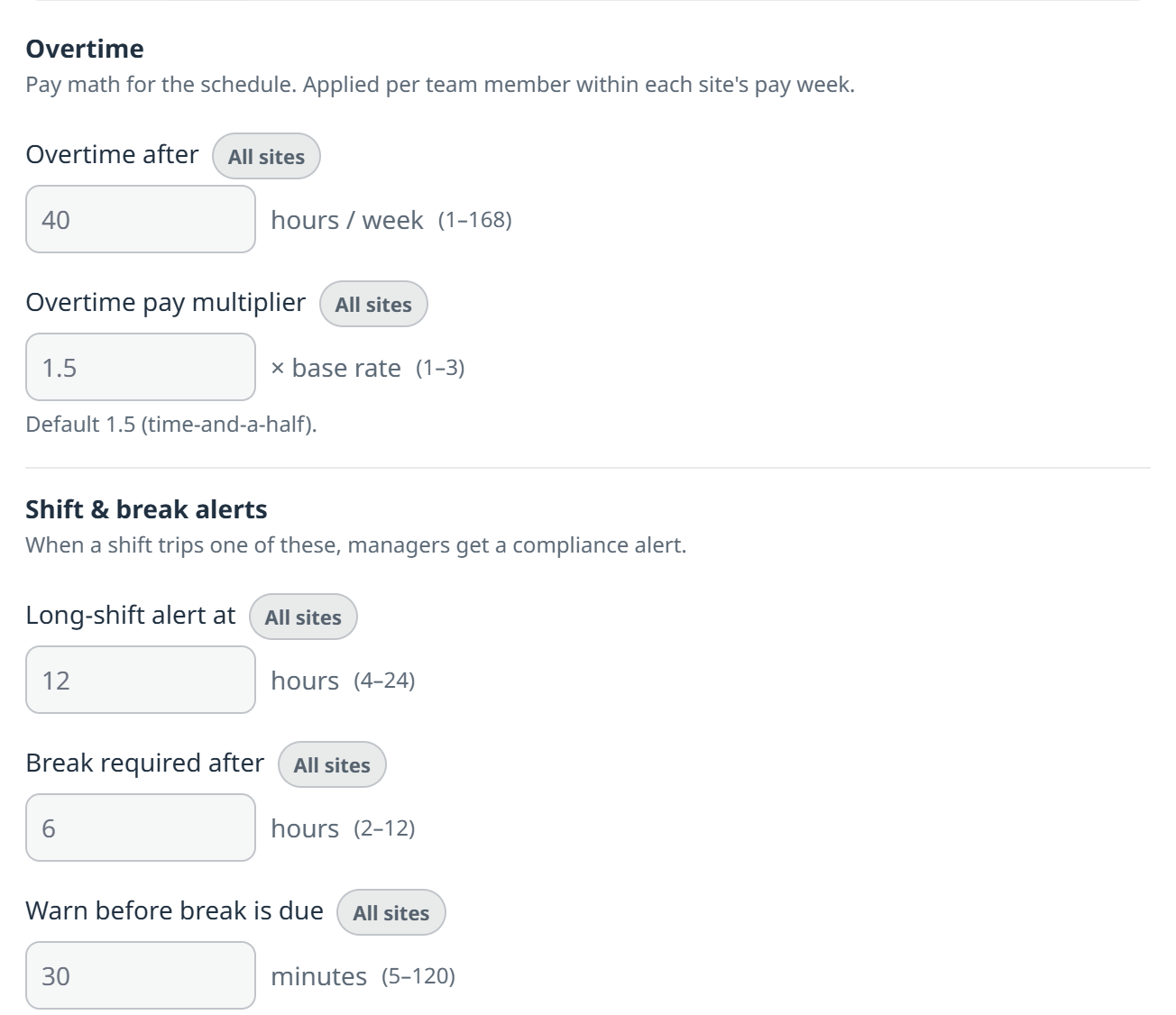
Every control says what it changes: all sites, or one.
Per-site breaks and daily overtime. Rules differ by state, so the ones that have to differ are set per site while the account-wide ones above stay shared. Every control is badged with what it changes. Below these, a site can switch on daily overtime and have a break added to new shifts automatically, without touching your other sites.
Every punch, with the photo taken at it.
Press an employee to see their punch detail, web and phone.
Payroll export broken into day columns, with the pay period picked inside the Export action.
Open-shift pickup bonuses ride the timecard and the payroll CSV, and a no-punch bonus is flagged for review.
The Time Off review queue is scoped to the site you are looking at, with a tap-through count for your other sites.
Netchex gained a redesigned register, a week selector, per-day breakdown, per-employee earnings overrides, and preview-push-undo for hours. Per account, on the web.
Correction requests are tied to the entry they cite, and when the corrections feed cannot load, every screen says so instead of showing an empty list.
TeamConsole
Shift Swaps
A lock window you can actually set for a real schedule.
Multi-week lock window. The swap and giveaway cutoff now goes up to 720 hours, so a shop that publishes a month out can lock the right horizon instead of the next two days.
The deadline is visible on the request itself, in plain language, so nobody guesses.
Per-account cutoff configuration, web, phone and server all reading the same number.
An open shift emails the eligible pool on every post, and tells the assignee when a manager puts them on directly.
TeamConsole
People Review
A coaching console on the Team tab, and the write-up it produces.
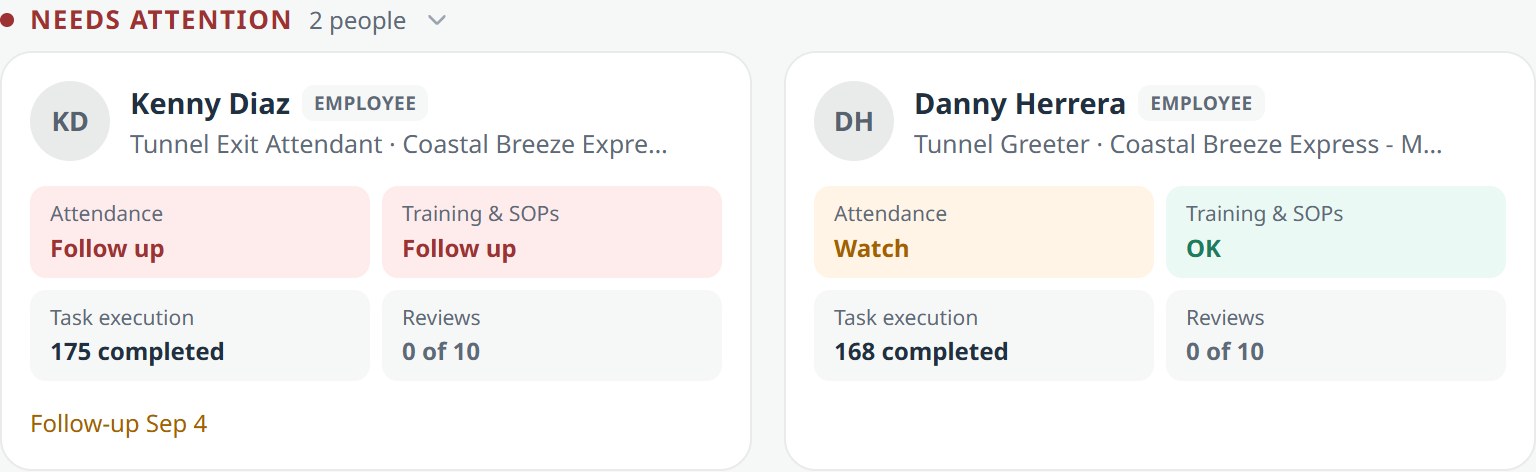
Needs attention, and everyone else.
Four areas that never blend into one number: attendance, training and SOPs, task execution, and reviews.
No score, no ranking. Nothing is blended into a single grade, and a number with nothing behind it says No data rather than reading as a zero.
A thin quarter says it is thin, rather than passing off three data points as a verdict.
Manage down only. Never your peers, never above you.
On the phone too, with the same cards and timeframes.
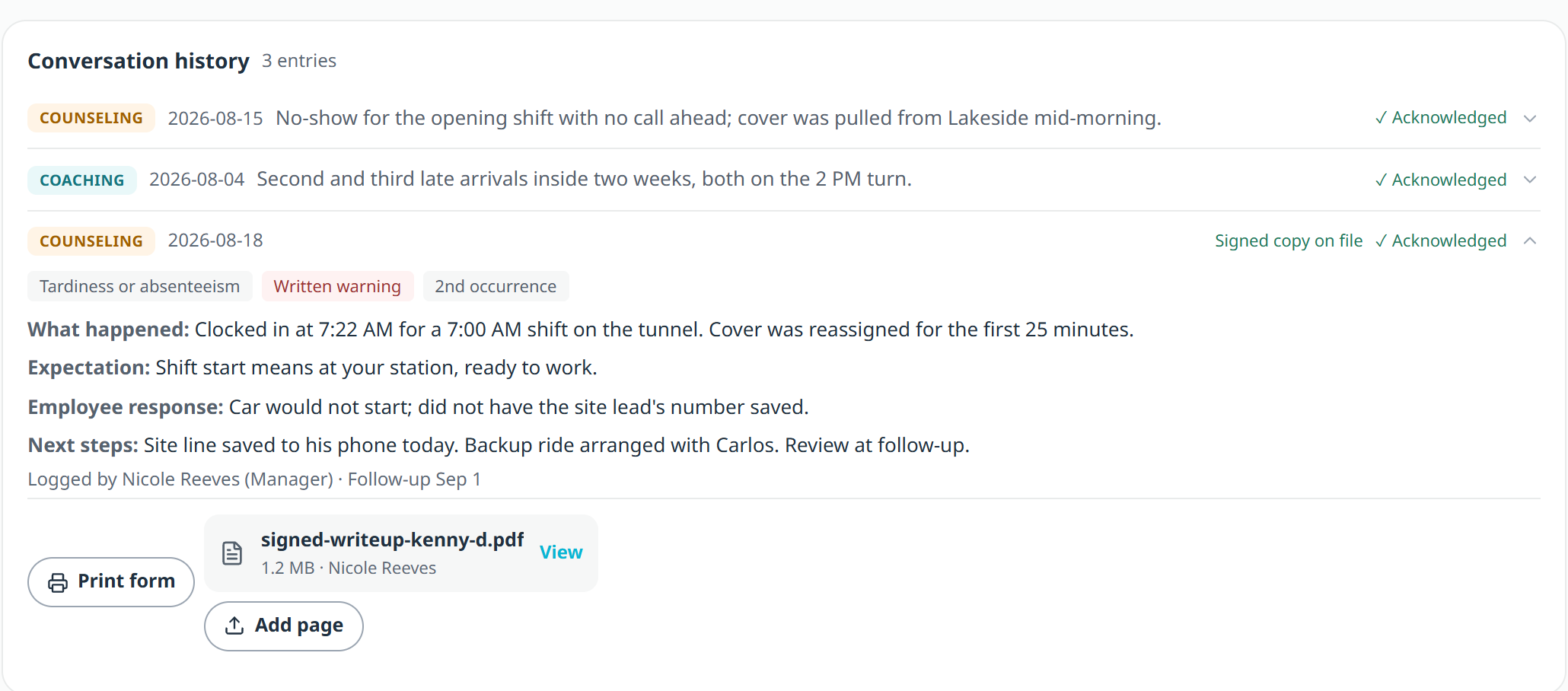
A write-up, with its occurrence counted.
Write-ups that count their own occurrences. Log a conversation as coaching, counseling or recognition. Add a violation category and it becomes a write-up.
The occurrence number is counted, not remembered. A second tardiness within twelve months reads "2nd occurrence" because the record says so, across every site. Nobody types it, so nobody can get it wrong.
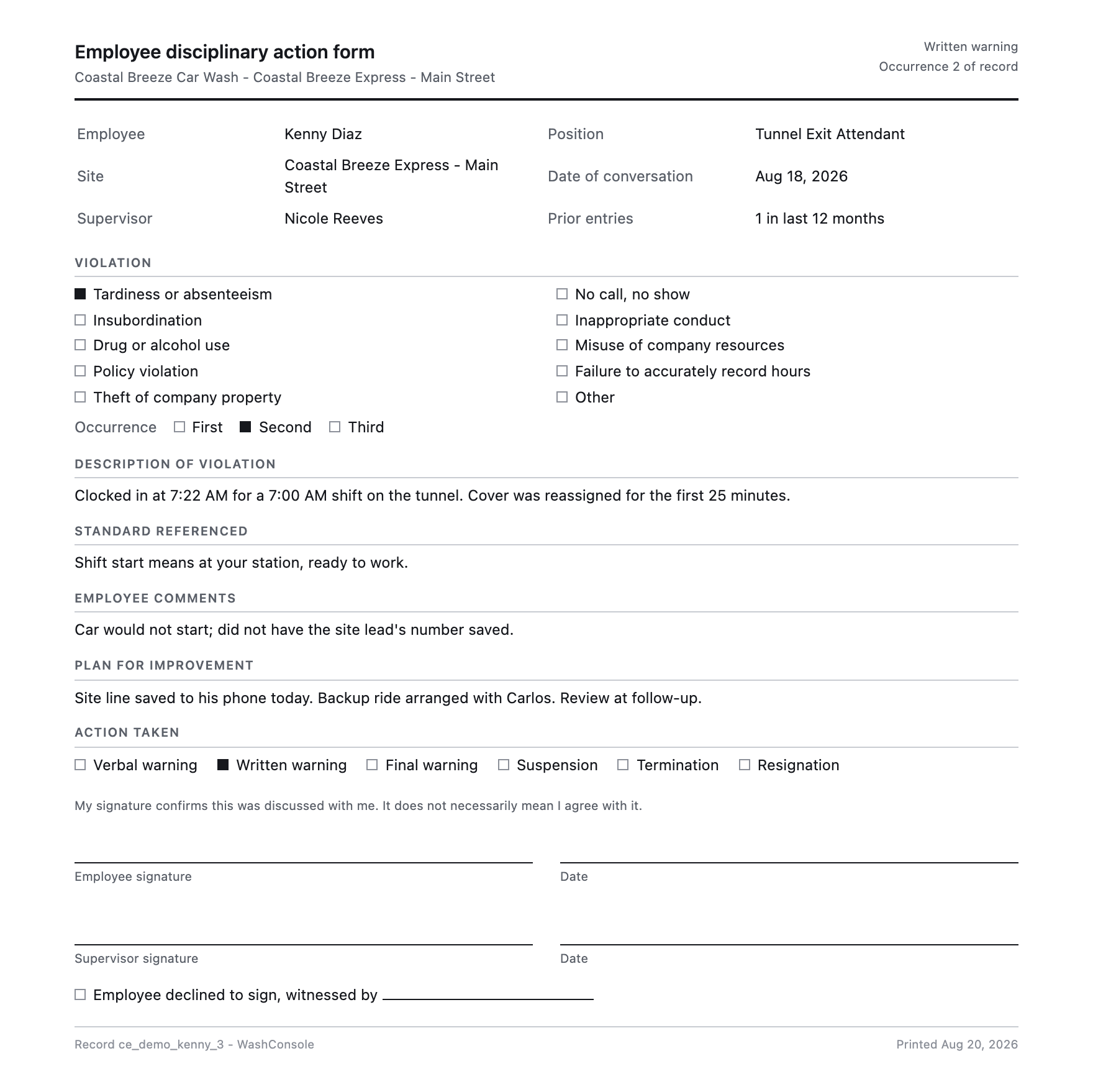
Print the form, sign it in ink. A real disciplinary form with blank signature lines. There is no e-signature, and there is not going to be one.
Scan the signed copy back on. Photograph it or attach a PDF and the entry badges "Signed copy on file".
Nothing here can be edited or deleted, by anyone.
The same entry, on paper, ready to sign.
Site leads and up. On the phone you can log the conversation, pick the category and action, and photograph the signed sheet. Printing is on the web.
TeamConsole
Directory and Kiosk
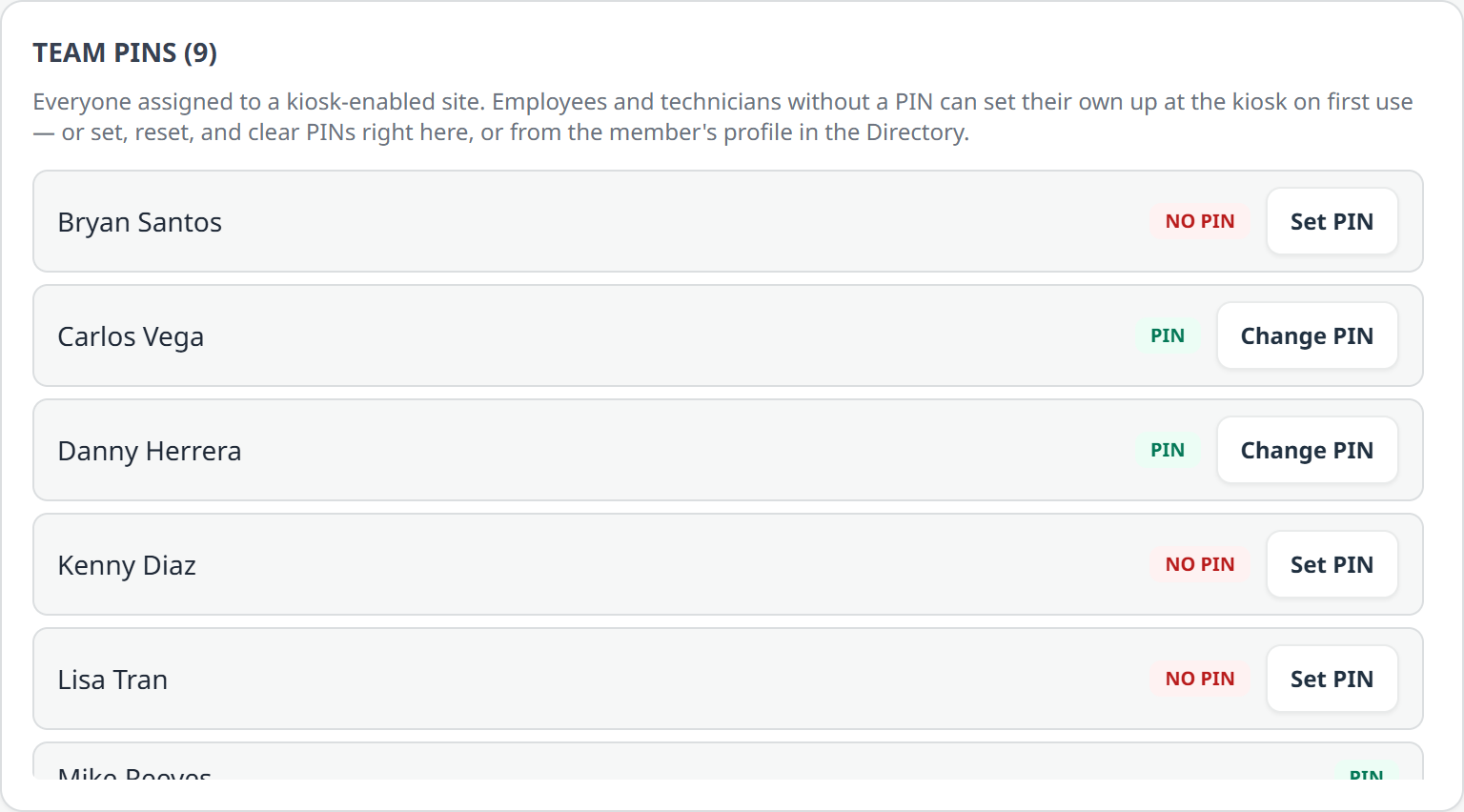
Who has a PIN, and who does not.
First-use PIN self-enrollment. A new hire sets their own PIN at the tablet the first time they clock in, and a manager can clear it.
A locked device recovers. The cooldown after too many wrong PINs now explains itself and clears, on both clients.
Managers strictly outrank site leads for PIN management.
Open a certificate straight from the Directory cell that asserts it, web and phone.
Celebration cards carry the sharer's note, and are scoped to the site rather than the whole account.
StockConsole
Inventory and Orders
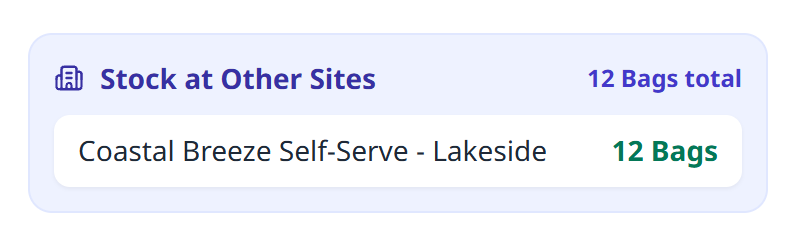
Before you order it, check whether you already own it.
Check before you order.
Compared by name, SKU or barcode, so it works without a shared catalog. If two rows carry SKUs or barcodes that disagree, they stay separate, because blue towels are not red towels.
Out is signal too. A site sitting at zero reads "0 · Out", not a blank.
Units never lie. 2 Drums and 10 Gallons stay separate instead of becoming 12.
Order in whole containers. Purchase-unit conversion means you order 3 drums, not 165 gallons.
Cancelling a supply order is undoable, so a mis-click is not the end of the order.
Multi-site accounts. Site-scoped roles still see only their own sites. Web and phone.
ChemConsole
Chemicals
Share a chemical into chat with its tank, current level and dosing, so the answer travels with the question.
A placement row that said "Any zone" while showing a dead zone name has been fixed.
LearnConsole
WashConsole Learn
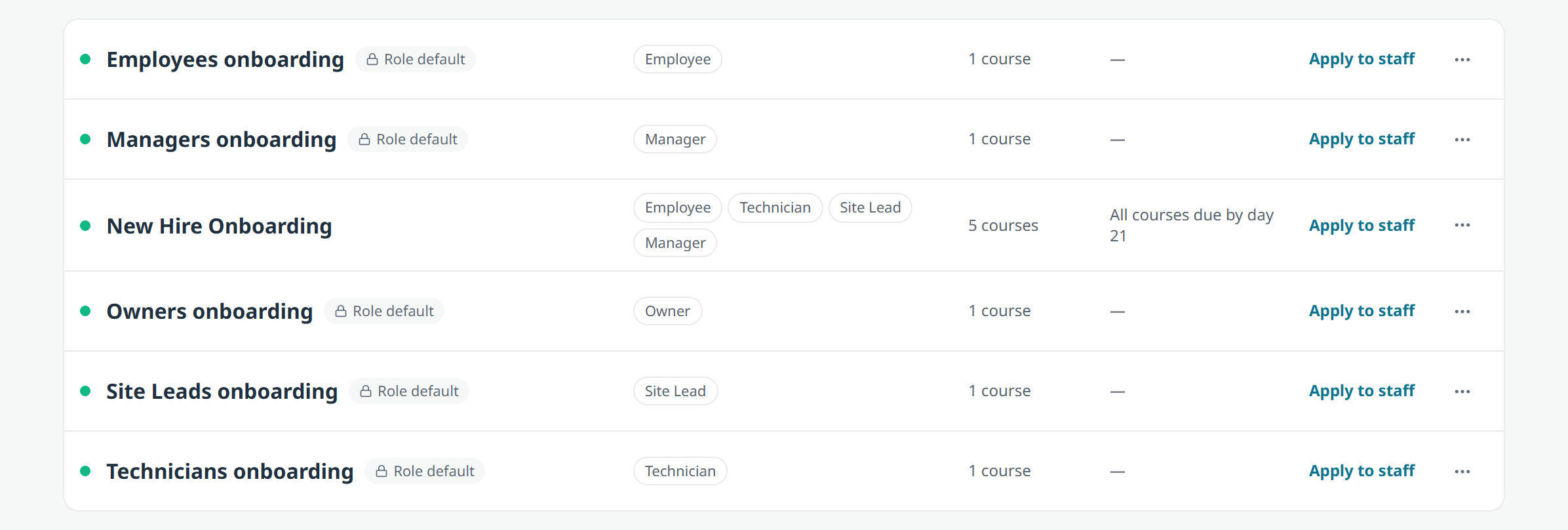
Onboarding paths, with live outcomes on every step.
LearnConsole is on for every account. Make, Learn and Manage, with SOPs and training in one place.
Assign retraining. Send one person, or a whole role, back through a course they already finished.
Preview a training before you add it to your curriculum, web and phone.
Onboarding paths are rows with live outcomes, not cards, and iOS tells you when a path is shared across sites.
Learners see the questions they missed, and the TO DO list sorts by due date.
One Retake Period control instead of two overlapping expiry settings.
Certification locks name the training and take you to it.
Retakes reopen 30 days early, so every expiry email is something you can act on.
Sponsor attribution reads "Presented by", and sponsor logos render on iOS.
A certificate can gate a task or an inspection.
ChatConsole
Messages
Site-scoped channels that maintain their own membership, a collapsible type-grouped list, and archive restore.
One attach menu and a one-screen multi-select share picker.
A pasted link shows where it goes, not the tracking exhaust.
Membership is the only way to read a channel, enforced on the server, on both platforms.
Edit and delete are instant on iOS, and Save is where you can see it.
A long list of chat reliability fixes landed too: a connection that dies now tells you instead of leaving you on a frozen screen, reconnecting no longer empties a thread that had messages in it, and being removed from a channel sticks.
Sensors
Sensors
A rebuilt Sensor Store with a hardened end-to-end sales path.
Devices are location-scoped, not merely account-scoped, so a site lead sees their own site's hardware.
Leak alerts reach web managers, and a work-order push from preventive maintenance opens the record instead of going nowhere.
Platform
Ask Claude
Connect your account and ask about your own operation.
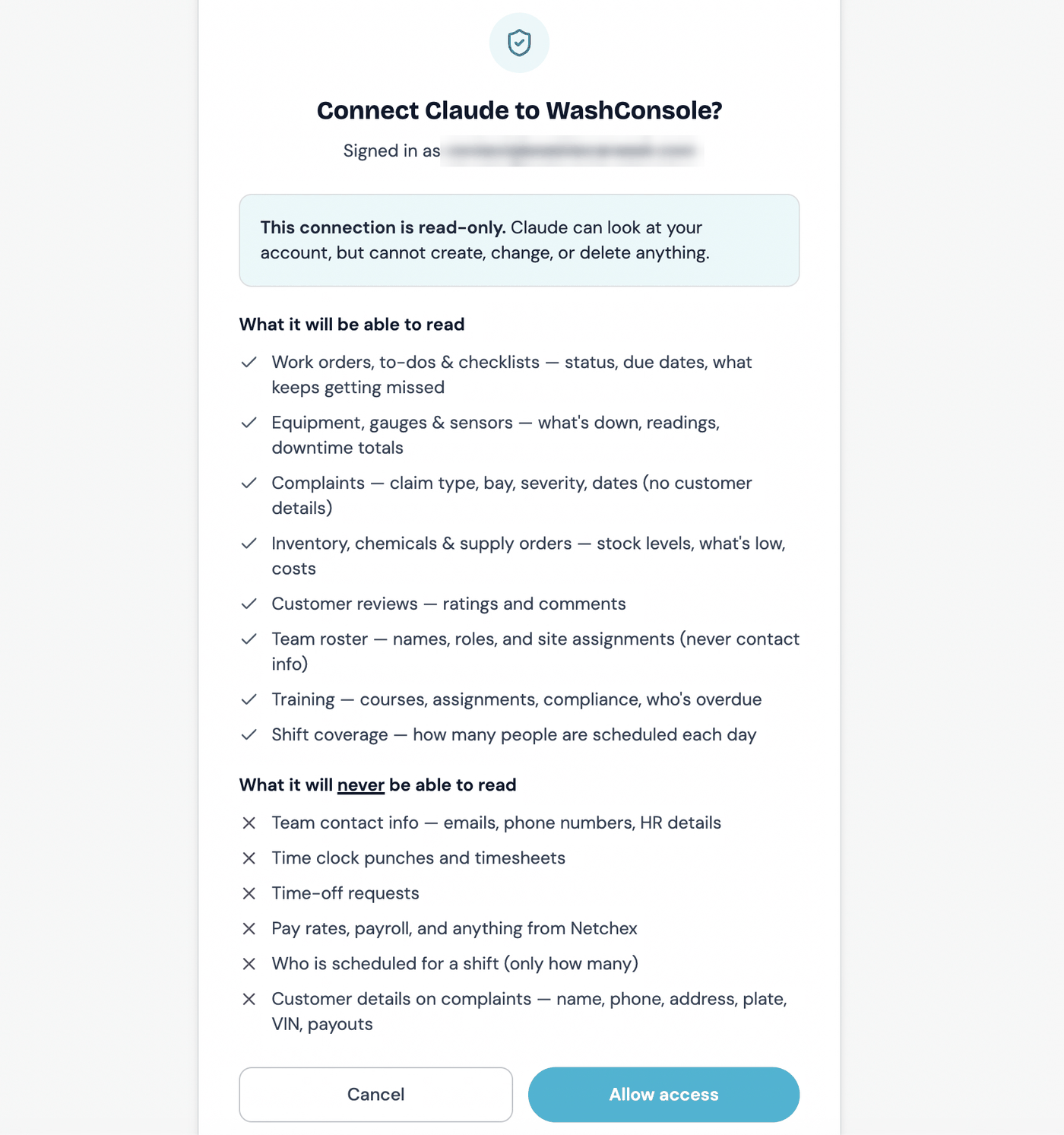
What a connection can and cannot see.
Add WashConsole as a connector in Claude, sign in, and approve one screen that lists exactly what it can and cannot see. Then ask what is broken at Lakeside, what is running low, which bay generates the most damage claims, or whether Saturday is covered.
Read-only. Nothing it does can create, change or delete anything.
Payroll is unreachable, not restricted, unreachable. Pay rates, timesheets and punches are not in the data it can address at all.
Individual schedules and time-off records are not reachable either.
Structured customer fields on a claim are omitted: name, phone, address, plate, VIN, payout. What your team typed into the description and the resolution note still comes through, so treat those the way you already treat anything written in a claim.
Demote or off-board someone and their connection dies on its next question.
New in 5.0: training, the roster and seven more entities joined the connection, plus cross-domain operator insights.
Owners and managers, on every account.
Platform
Spanish Mode
Settings, Language, Español. Per person, not per account.
Español, per person.
Navigation and the first screens are translated, with more each release. Settings tells you where it stands.
Nobody is switched over. Absent means English, so nothing changes until someone picks it.
What your team writes stays exactly as written. Your zone names above are still your zone names.
The iPhone app has started with account and settings screens. Most of it is still English.
Platform
Across the App
KPI cards cycle their own timeframes.
KPI cards work for you, on the web. They cycle Today, This Week and This Month on their own, carry a real change figure instead of a colored pill, and draw a trend line. Hovering holds the frame; the pause button pins it.
Discoverable global search, on the web. A visible Search anything pill, and a command palette that no longer misses half the app.
Notification settings became a registry of every event, so a new event shows up the day it ships and each one is yours to switch off.
Scheduled work pauses while a subscription is lapsed, instead of quietly running against an account that is not paying.
A friendlier error in about 160 places, instead of a raw message from the server.
Deleting an account clears far more than it used to. Devices, credentials, stored files and child records go with it, and the server confirms the purge rather than assuming it.
That is 5.0. Update the app from the App Store, then open Feed and People Review first. Both take about a minute to understand.
Want manager scheduling or two-person sign-off switched on for your account? Reply and we will sort it out.
Live on the web now, and in version 5.0 of the iPhone app.