Introducing Inspections A Better Way to Catch Issues Before They Turn Into Repairs
Inspections help car wash operators check site condition, document Pass/Fail results, and automatically turn failures into work orders.
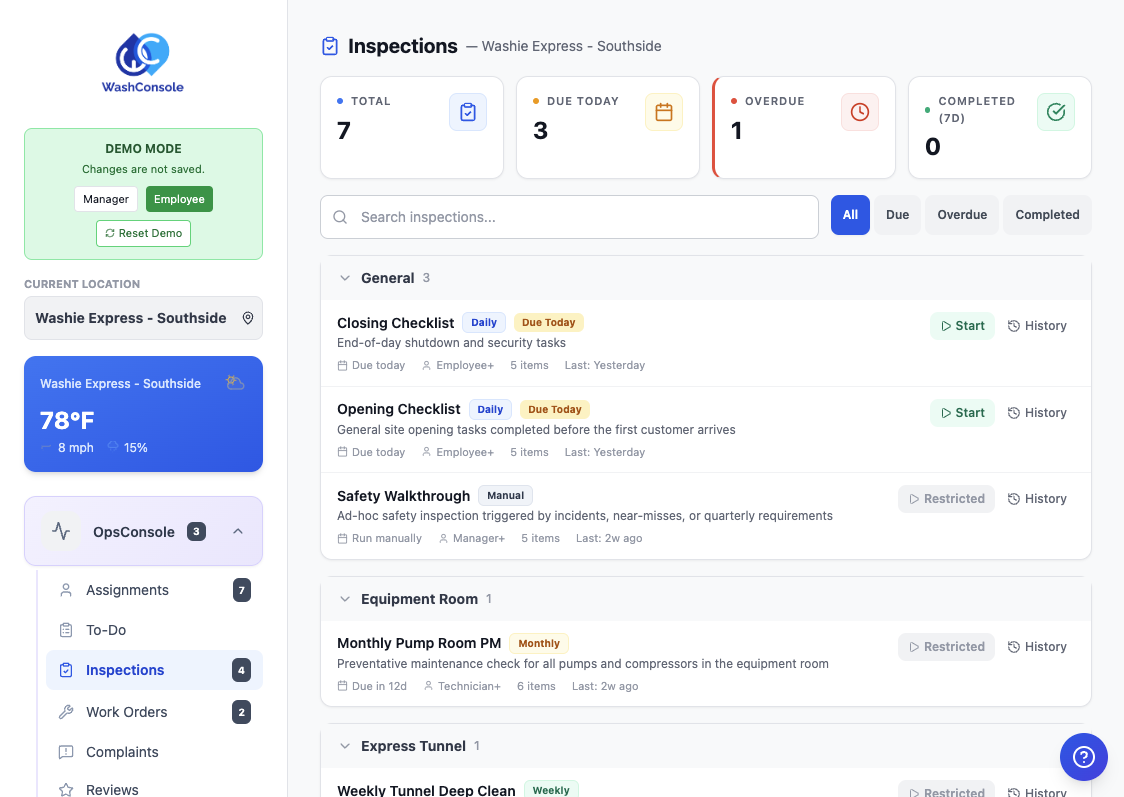
Introducing Inspections
We are excited to introduce a new feature in WashConsole: Inspections.
Inspections give your team a simple way to walk the site, test functions, document condition with Pass/Fail, and make sure problems turn into action.
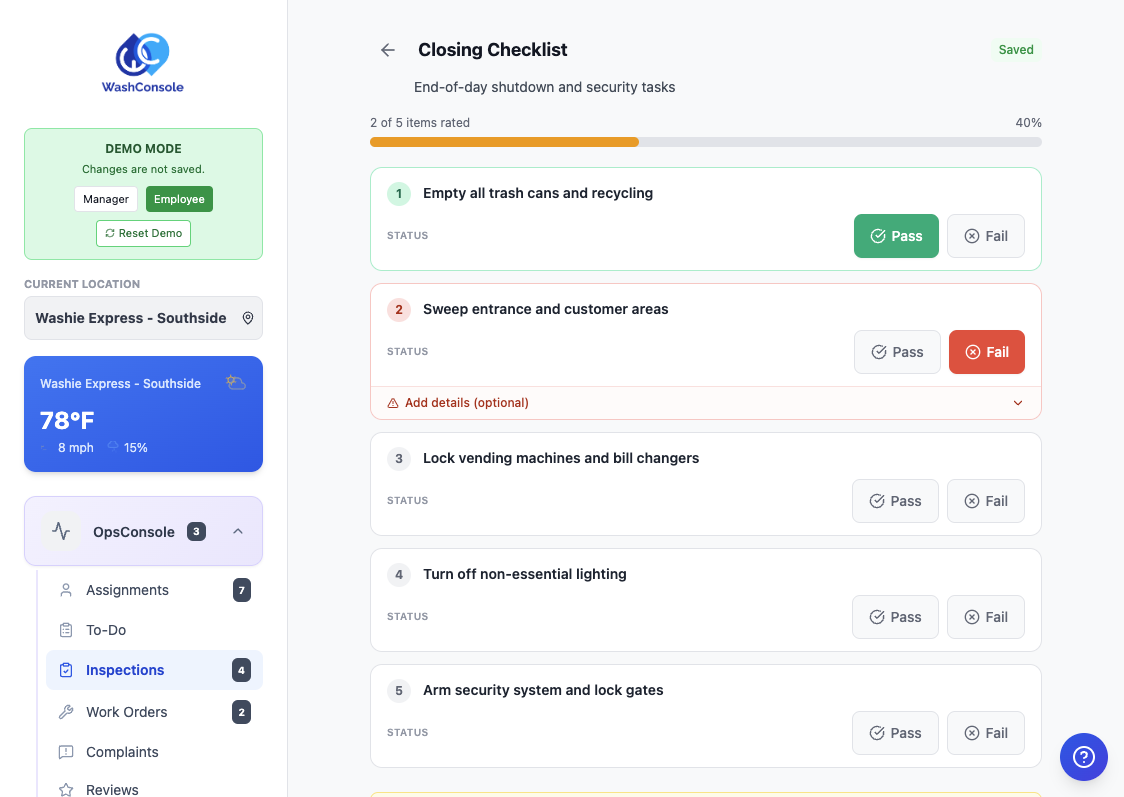
If something fails during an inspection, it can automatically create a Work Order so the issue gets repaired and nothing gets missed.
Why We Built It
Car wash operations usually have three different kinds of work:
Before Inspections, operators had to force those into either To-Dos or Equipment PMs.
Now there is a better fit.
When To Use To-Do
Use a To-Do for work you already know needs to be done.
Examples:
A To-Do means:
This task already needs to get done.
When To Use Inspection
Use an Inspection when someone needs to walk an area, test functions, and document whether things are working properly.
Examples:
An Inspection means:
Go check this and report what you find.
This is what makes Inspections different:
That means your team is not just saying something is broken. They are documenting exactly what failed and pushing it straight into the repair workflow.
When To Use Equipment PM
Use Equipment PM for recurring maintenance on a specific piece of equipment at a set schedule.
Examples:
Equipment PM means:
This machine needs scheduled maintenance.
The Simple Difference
To-Do
Work you already know needs to be done.
Inspection
Checking condition to decide if something needs attention.
Equipment PM
Inspecting, cleaning, or replacing a specific piece of equipment at a set recurrence.
A Real-World Example
Here is what a Tunnel Close-Up Inspection looks like in WashConsole. This is the kind of checklist most operators already do at the end of the day: walking the tunnel, checking every system, and documenting what needs attention.
Each section becomes a checklist item with Pass/Fail:
Your team walks the tunnel, marks each item Pass or Fail, and adds notes and photos on anything that needs attention. If something fails, WashConsole can automatically create a Work Order so it goes straight into the repair queue without a clipboard handoff or forgotten notes.
Set it to run daily, weekly, or on-demand. You get a documented record of who ran it, when they ran it, and exactly what they found.
This is the same checklist that used to live on a clipboard or a PDF. Now it is digital, trackable, and connected to the rest of your operations.
Why This Matters
Inspections help operators:
Instead of relying on memory, text messages, or verbal handoff, your team has a clear process for checking what is working and what needs attention.
Start Simple
You do not need to build a huge inspection on day one.
Start with one:
Keep it simple. Focus on the items your team already checks every day.
Then let WashConsole document the results and turn failures into action.
Built by Carwash Operators, for Carwash Operators. Learn more at [WashConsole](https://www.washconsole.com/blog).